Frustrated with your scheduling? Try the easiest-to-use calendar app, made by and for maid service owners.


Brought to you by expert maid service owners
I have a confession to make. Don’t judge me, but I use Instagram a lot. It’s a daily part of my life, something I check more often than I do my email most days.
As it turns out, I’m not alone.
If you don’t know, Instagram is a photo and video sharing app now owned by Meta, which also owns Facebook. Over 90% of Instagram users follow a brand on their account, and 70% of shoppers use Instagram as a tool to make purchasing decisions. If someone’s checking out a new clothing brand or scoping out their local cleaning company, there’s a good chance they’re using Instagram to inform their decision.
Using Instagram to market your maid service can help you connect with your current and potential customers by showing the “human” behind your business in a place your customers are likely already spending a lot of their time.
In the ZenMaid Mastermind community, we’re often asked about effective strategies for using Instagram to grow your business. In this guide, we hope to provide everything you’ll need to be successful!
Table of contents
- Get Started with Instagram for Your Cleaning Business
- Creating a Posting Strategy for Your Cleaning Business on Instagram
- How to Post to Your Main Instagram Feed for Your Cleaning Business
- How to Post Instagram Reels for Your Cleaning Business
- How to Post Instagram Stories About Your Cleaning Business
- Ideas for What to Post on Your Cleaning Business Instagram
- Post Examples for Your Cleaning Business
- What Are #Hashtags and Why Do They Matter?
- How to Find Hashtags for Your Maid Service
- How to Grow Your Following on Instagram
- Using Instagram Stories to Boost Engagement
- Partnering with Influencers in Your Area to Promote Your Cleaning Business
- How to Get Cleaning Business Clients Using Instagram
- Create a System to Manage Your Instagram Easily
- Tools to Automate Your Instagram Posts
- A Quick Introduction to Paid Instagram Ads
- You’ve Got This!
Get Started with Instagram for Your Cleaning Business
Let’s start with the basics. Then, we’ll share some ideas for what to post, how to build a following, how to convert followers into customers, and how to do scheduling and paid advertising.
First, you’ll need to install Instagram on your phone — while you can technically access Instagram from a computer, you cannot create posts from a computer (unless you use a scheduling app, but we’ll cover that in a little bit).
There are three easy steps to download the app and create an account:
- Download the Instagram app on your smartphone. Go to your mobile app store, search for Instagram, and click Install. (I already have Instagram installed on my phone, so this button will be where it says Open in the screenshot below)
- Once the app has downloaded, open it. You’ll see two options for creating an account: either using your email or your existing Facebook account. If you have a Meta for Business account that you use solely for your business, you’ll want to connect it to your Instagram account. A Meta for Business account gives you access to analytics tools and a few additional features. You’ll also be able to run paid advertising campaigns. If you don’t, click Sign up, create a new account using your business email, and move on to setting up your profile
- If you do have a Meta for Business page, go to your new Instagram profile and click on the three lines in the top right (the Settings menu)
- Scroll down until you see Switch to Professional Account. The app will direct you to log in to Facebook and select the Meta for Business page you would like to connect to
Filling Out Your Instagram Profile
Once you’ve created an account, it’s time to fill out your profile. You’ll have to include the following:
- Full Name: Use the name of your business. In the screenshot below, Dashing Maids – Denver is the display name of the account
- Username: This is what people will use to tag your business, also known as your “handle.” Your username needs to be unique to your profile. If your business name is available, use that. If it’s not, and your business name does not include your location, add the location (this is what Dashing Maids did for their Denver location).
- Profile Picture: Use your company logo as your profile picture. That way, people will realize you are a business account, not a personal account
- Location: Include your location in your profile. This will help target potential customers in your local area
- Instagram Bio: This is a 150-character description of your business. If your service area isn’t in your business name, then you need to include your location in your bio. In the example below, Dashing Maids also calls out a few of their specific services to make it clear what their business focuses on
- Add a Website: In the profile editor, you can add a website link to display at the top of your profile. Add your business website here, or a link to your booking form or client onboarding questionnaire
Here is what a solid, completed profile looks like:
Creating a Posting Strategy for Your Cleaning Business on Instagram
When you’re all set up with an Instagram account, it’s time to figure out what (and when) to post. If you’re newer to business posting, you might be feeling a little lost — what are you supposed to post?! How often should you post? Should you focus on video or photos?
The truth is, running a successful Instagram account will require a solid strategy and some planning, in addition to the creative energy you’ll want to bring to make your page stand out.
Don’t worry, friend, we’ve got your back. This section covers cleaning social media posts for maid services (with examples).
Although the vast majority of posts feature a single image and a caption, Instagram has changed significantly since it first launched as a photo-sharing app in 2012. Now, Instagram supports several types of posts:
- Single-image posts
- Carousel posts that have up to 20 pictures
- Reels, which are short video posts up to three minutes in length, similar to TikTok
- Stories, which stay up for 24 hours and then disappear
You can use a variety of these post types, or mostly focus on one or two. What’s most important to consider is consistency in your strategy: seeing someone appear on Instagram every day around the same time, whether it’s on their Stories or via Reels, keeps your page relevant to your target audience.
How to Post to Your Main Instagram Feed for Your Cleaning Business
The classic Instagram post is a still image. Whether you want to post one image at a time or several in a carousel, still photo posts are often the easiest and most straightforward type of post to execute frequently and on a schedule. Reels, which we’ll cover below, have taken precedence in Instagram’s algorithm since the rise of TikTok and short-form video, but they remain a fantastic way to reach your audience and share things like before-and-after photos of a good clean.
To post to your main feed, follow these instructions:
- Open the Instagram app on your device
- Tap on the plus sign in the top-left corner of your screen, or swipe to the right while on the main feed to open your camera
- Use the camera to take photos, or tap Post at the bottom of the screen and swipe up to open your camera roll. You can select multiple photos by tapping the Select button in the middle-right of the screen
- Choose your photos and tap Next in the top-right
- Add a caption and any relevant hashtags, then tap Post
Carousel posts sometimes do better than single images, but it’s best to make sure each image is visibly different from the others. Double-posting the same images in a carousel can come off as disorganized or unprofessional.
How to Post Instagram Reels for Your Cleaning Business
Beginning in 2020, Instagram added Reels as a post type to compete with TikTok users. Since then, Reels have continued to dominate Instagram, which means short video content is what is most often promoted by the algorithm. It’s best to keep Reels short and to the point, and use popular or trending music to grab your audience’s attention.
If you’re not a techy person, there’s no need to worry — Reels are pretty simple to create! Here’s a step-by-step guide to posting Reels to your Maid Service account:
- Open the Instagram app on your device
- Tap on the plus sign in the top-left corner of your screen, or swipe to the right while on the main feed to open your camera
- Tap on Reel at the bottom of the screen. This will open the video editor
- Record a video or select a video from your device by swiping up to access your camera roll
- Edit the video as desired by trimming, adding effects, or adding music
- Tap on the Next button in the top right corner when you are finished editing
- Add a caption and hashtags, and then tap on the Share button to post your reel
PRO TIP: Save Reels from other accounts that you like, even if they aren’t cleaning-related, as inspiration. Watch for the Use Template button on other Reels to save and use that same template for easy creation later.
How to Post Instagram Stories About Your Cleaning Business
Instagram Stories can be a fun, easy way to keep your account active. Stories are posts that expire within 24 hours, which makes them popular among business accounts when advertising sales or limited-time opportunities. But they can also be great ways to share small, everyday things about your business that show people what it’s like to work with you.
To post a Story, follow these instructions:
- Open the Instagram app on your device
- Tap on the plus sign in the top-left corner of your screen, or swipe to the right while on the main feed to open your camera
- Take a photo or video by tapping the button at the bottom of the screen or holding it down to record a video. You can also tap the gallery icon or swipe up to choose a photo or video from your camera roll
- Edit your photo or video by adding filters, stickers, or text. You can also draw on your photo or video using the drawing tool
- When you’re done, tap the “Your Story” button at the bottom of the screen to post the photo or video to your Story
You can add additional photos or videos to your story by repeating the process. Each Story will stay up for 24 hours before disappearing.
To view your story, swipe right from your feed or tap your profile picture at the bottom of the screen. To view someone else’s story, tap their profile picture on the top of the feed or in the stories bar at the top of the screen.
PRO TIP: Use the ‘link’ sticker to add a direct link to your website or booking form!
Ideas for What to Post on Your Cleaning Business Instagram
Now that we’ve covered how to post to Instagram, we should talk about what to post. This is an age-old question in social media marketing: what matters to your audience? What do you want them to see or know about your business?
The exact answer to this question will be different for each business and business owner. You’ll need to experiment a bit and have fun with what you post — Instagram is, first and foremost, a source of entertainment for its users, so at least having fun with it won’t be frowned upon!
Here are some suggestions to get you started:
- Show Part of a Cleaning Job: Show off your team in action! Record a reel of your team working on a cleaning job. This can help potential clients see the level of professionalism and efficiency of your services
- Share Tips and Tricks: Teach your followers how to clean certain items or areas of their homes. This can help establish your business as a go-to resource for cleaning advice, which may also establish you as a cleaning expert and someone people will trust to clean their homes!
- Highlight Your Products and Services: Show off the products and equipment you use on the job, and explain the benefits of each. This can help potential customers understand what sets your business apart from competitors
- Share Before-and-After Clips: Record a Reel showing the difference between a dirty space and a clean one after your team has finished the job. This can be a powerful way to showcase the value or impact of your services
- Share Customer Testimonials: Ask satisfied customers to record a short video talking about their experience with your business, or if they can stay behind to record one with you the next time you’re on site. This can help potential customers feel more confident in choosing your business for their cleaning needs
Post Examples for Your Cleaning Business
The best advice we have is to learn from the people doing it right now! For example, this post from the Molly Maid team shows a group of cleaners at their annual Thanksgiving celebration. Little gatherings like this are a great opportunity to take a group photo and post it to Instagram — it shows a human side to your business that potential customers appreciate!

If you’re a one-person show, don’t be afraid to post a selfie. Seriously, just posting a photo of yourself makes your followers feel like they’re getting to know you, and new cleaning customers will feel more open to reaching out for an appointment because you’ll seem like a person, not a faceless business. Many business owners use Instagram to promote their business while also sharing their journey as entrepreneurs, sharing growth milestones, and adding a personal touch to the significance of reaching certain milestones.

Behind-the-scenes posts give your customers a view into what it’s like to run your cleaning business. You can introduce your techs, or talk about why you got into the business, or just show off how much administrative work goes into running smoothly. This may seem like a boring post to you, but for your followers, it’s interesting to see what it takes to run a successful cleaning company.
Been in business for a few years? Or maybe even longer? Why not have a little fun sharing behind-the-scenes pictures or videos of the early days of your business? Old photos of the original employees, early offices, or car decals, or event photos of the company founder.
If you’re extroverted and don’t mind being in front of the camera, you may want to consider taking a video of yourself. You can share a story, give cleaning tips, say something inspiring … really, whatever you want to say about your business.
The whole point of having Instagram is to market yourself and attract more potential clients. So sometimes you’ll want to create posts to show just how awesome you are (and how you help your clients, of course) — the type of posts that make followers wish you would come clean their house.
One thing to note: You cannot put a clickable link in the description of an Instagram post. So if you want people to follow a link, end the description with “Link in bio.” Then update your bio to include a link to the resource or article you are promoting.
PRO TIP: Use an app that allows you to share multiple links at once. LinkTree is a great option for service-based accounts and very easy to manage (even for the not-so-tech-savvy among us — no shame here 😉). You can create a free account and customize a page where multiple links can be shared at once on your profile.
This creates a single URL that you will add to your profile on Instagram. When users click this URL, it takes them to your LinkTree ‘page’ where they have the option to click on multiple links that you’ve chosen.
Here is what our LinkTree ‘link page’ looks like for ZenMaid’s Instagram:

Don’t feel confined to these types of posts. In fact, we have another great article with 21 more ideas for what to post on social media for your cleaning business. If you’re feeling creative, try something different and see what gets engagement.
If you need more inspiration on what to post, check out these cleaning Instagram accounts for inspiration!
What Are #Hashtags and Why Do They Matter?
Hashtags allow your post to show up in search results. For instance, if you use the hashtag #cleaningbusiness, then your post will show up in the search results for “cleaning business.”
Let’s take a look at how Instagram search works from the user’s point of view:

Instagram allows you to search in five categories:
- For You (based on your user history and past searches)
- Accounts (if you’re searching for a specific user)
- Audio (if you’re searching for a song or sound to use in a video)
- Tags (if you’re looking for posts with a specific hashtag)
- Places (if you want to see photos taken in a specific location)
If you’re looking for posts about maid services, you can search Tags for “maid service,” and Instagram will show you the most popular hashtags that contain the words “maid service.” When you choose the hashtag you’d like to look up, Instagram will show you recent or popular posts with that hashtag.
You can also see the search results of a hashtag by clicking on a hashtag in a post.
So if you use the hashtag #boston, then a viewer can click ‘#boston’ and see all posts with that hashtag. By using hashtags, you’re increasing the odds that someone finds you while they are searching Instagram.
It’s kind of like the most basic search engine optimization (SEO) for Instagram.
Not sure what SEO is? No problem. We have an article about SEO you can read next.
How to Find Hashtags for Your Maid Service
There is never a “one-size-fits-all” approach to marketing your cleaning business on Instagram, but there are some current best practices you can take into consideration.
Here are steps to find related hashtags and see how many posts they have:
- Click on or swipe to the search icon (magnifying glass)
- Type in a generic tag to start (i.e., #cleaning or #cleaningtips). It will show you the ‘top’ posts for that search word
- Tap ‘Tags’
- Choose a tag that has fewer than 1 million posts (under 500K is better) and click it to see the posts. You’ll see:
- ‘Top’ posts (all the recent posts, including reels
- ‘Recent’ posts
- ‘Reels’
- Click through each to get an idea of what’s popular
- Keep going until you have collected several relevant hashtags with under 500K posts
- Create a list of 10-30 (maximum allowed) hashtags to use on your posts
PRO TIP: Create 2–3 different but related sets of hashtags to use on your posts. Use one set for post 1, a second set for photo 2, etc. This way, you avoid ‘spamming’ the same hashtags over and over.
You can also follow these best practices as a general guideline for choosing and posting to hashtag feeds:
- Use only relevant hashtags: What’s the point of showing up for people who will never buy from you? The goal here is quality over quantity. It only takes a few hundred engaged followers to have an effective reach on Instagram
- Use hashtag groups with less than 500k posts: Find hashtags that have less than 500,000 but more than 1,000 posts in them. Why? Any group of hashtags with 500K+ posts means that new posts are being added every minute. This means fewer eyes on your post. It doesn’t hurt to include the hashtags for some of these larger groups, but balance it out with some smaller tag groups as well
- Use local hashtags: As a service-based business, you obviously need to target cleaning clients within a certain area. Posts with a location get 79% higher engagement than posts without them. You can add the location both through Instagram’s posting interface and by adding location-based hashtags. For example, if you are a Nashville-based cleaning service, you might use hashtags like #Nashville, #NashvilleTN, #MusicCity, #Nash, and so on. That way, no matter what search term someone uses, your post will show up
- Limit the number of hashtags you use: Experts claim that 3–5 hashtags are the optimal number to use, so be strategic about the ones you pick. Technically, you can use up to 30 hashtags per post
- Don’t use punctuation or spaces in hashtags: You can use periods in your username, but do not use any punctuation in your hashtags! Why? Punctuation and spaces take away the ability to search as a hashtag, even if you use the “#” before the phrase
How to Grow Your Following on Instagram
Once you have a few posts up, you’re ready to get some followers. As a general rule, posts from accounts with large followings tend to have more reach. You want a following of people in your area who are open to hiring a maid service or are already your customers. (Paid followers don’t count. Don’t waste your money paying for followers! That’s a vanity metric that does not move the needle for your business.)
There are a few easy ways to grow your following on a new Instagram account:
- Ask your family and friends to follow your business account. Following them first also gives them a nice hint
- Tell your current customers that you are on Instagram. You can just mention it in an email and ask them to follow you. You’ll also want to add a link to your Instagram on your website and your other social media pages. Try putting your Instagram handle in your email signature, too!
- With that in mind, follow your competitors’ followers! If you find another maid service’s Instagram account in your area and follow their followers, their followers might check out your profile
Increasing your following also makes you seem more trustworthy to potential cleaning customers. If you’re having trouble getting enough current customers to follow you, you can run a contest. For example, you can raffle off a cleaning discount to anyone who follows you before a certain date.
Here are some ideas to get you started on your own Instagram contest or giveaway to boost followers.
Using Instagram Stories to Boost Engagement
Online advertising is becoming the go-to advertising method for all types of businesses. Over 25% of Instagram users reported finding a new brand from Instagram ads. This stat alone is why it’s worth taking Instagram Stories seriously.
Here are a few key reasons why you should use Instagram Stories for your business:
- Real-time marketing: Stories don’t require exhaustive planning and designing. They simply show your real-time business operations and act as a real-time marketing medium
- Maintain visibility on your followers’ feed: With a large number of posts being uploaded on Instagram every second, most of your followers may not see your posts. Stories are a nice way around this because they stick to the top of the screen and provide much better visibility
- Humanizing business and giving transparency: Behind-the-scenes looks at your business can be an important trust-building step for current and prospective customers. Plus, glimpses of what happens behind the scenes encourage spontaneous conversations between you and your followers and keep them engaged. It’s less intimidating to send a business a direct message instead of leaving a public comment on a post
- Providing special offers for a limited time: Sharing occasional discounts on your Story will encourage people to check your profile more often
- Contests grow your reach: Simple events like contests and giveaways can boost your engagement rate by bringing in new followers
Partnering with Influencers in Your Area to Promote Your Cleaning Business
One way to grow your following is to work with local influencers who can help promote your cleaning business. Influencers are people with over 10,000 Instagram followers.
We don’t recommend this strategy when you’re just starting out. Instead, give yourself some time to build your account organically. Then, when you’re in a place where you think you can benefit from a lot of visibility all at once, consider partnering with an influencer.
Always look for local influencers. Oftentimes, there are accounts that have the name of your city in their username and post a variety of pictures of locations and businesses in your city.
For instance, there’s an account called “The Nashville Guide.” It has 225,000+ followers. The account reposts pictures from restaurants, gyms, hikes, and other places around town. They also sometimes run promotions with local businesses, offering exclusive discounts for their followers.
Other influencers might be popular businesses in your area with active Instagram accounts. A popular restaurant or cafe can have thousands of followers, and I bet some of them need their houses cleaned!
How do influencer accounts help you?
There are a lot of eyes on an influencer account, so simply interacting with the account can help people find you. For example, if you comment on one of their posts, their followers might see your comment and click on your profile.
You’ll get more people clicking through to your profile if you write a thoughtful or interesting comment, rather than something generic. Avoid saying something ambiguous that could be a comment on any post, like “nice pic.” Instead, say “the pie last week was AMAZING!” or “I’m so glad Fall has finally arrived!” — this sounds more natural and engaging.
The holy grail of influencer marketing is for an influencer to make a post about your business. All of their thousands of followers will notice you, and many will check out your profile and business. But before you ask an influencer if they’d like to partner with you, spend time interacting with them. Continue to follow their account and leave comments on their posts. After a few weeks of engaging with them, send them a direct message (DM) and offer an exclusive discount or promotion for their followers.
An exclusive discount can take whatever form you choose. For example, you could offer a discount code that their followers can use to book a first service for 20% off. Or you might run a promotion where if their followers follow your account, they’ll be entered to win a free cleaning.
Offer perks to your existing clients for sharing your business
While your customers have fewer followers than an influencer account, their followers are usually friends and family who know them in person. So, their followers have a lot of trust in their recommendations. Offer your customers a discount or perk (ex. free fridge cleaning) on their next cleaning if they share a post about why they like your service and tag you in it.
How to Get Cleaning Business Clients Using Instagram
So, what’s the point of getting hundreds or thousands of followers, anyway?
Well, first off, when a follower needs a cleaning service, they will remember your cleaning service more than any other. The more times they see your brand, the more top-of-mind your services will be if they ever need to hire a cleaning service.
However, you probably aren’t putting time and effort into Instagram just to hope that a few followers convert passively.
To actively convert followers, you can post advertisements on your Instagram. Keep in mind that you don’t post ads too often, or your Instagram will seem spammy, and people will unfollow you.
One trick for ads that don’t seem spammy is to create themed promotions. Themed promotions feel like you are celebrating a holiday or event alongside everyone else, rather than feeling sales-y or spammy.
Create a System to Manage Your Instagram Easily
On average, most businesses post multiple times a week. Strong, active accounts are a good sign to potential customers, too — visiting a dead profile might call into question whether your business is operating or not.
If you have a lot of other things to manage, like cleaning houses and managing employees, you may not have time to post six times a week like other brands. Aim to post at least once or twice a week to ensure you’re top of mind when your followers think of a cleaning company. And as we discussed above, Stories are a convenient option for dropping in to make sure your page stays relevant.
That said, posting six times per week doesn’t have to be overwhelming. It just requires a little forethought and a free automation service.
Here are the steps to managing your Instagram with ease:
- Create an editorial calendar
- Batch post creation so that you create many posts in one sitting
- Automate posting
An editorial calendar helps you plan out your content for the month.
Basically, you’ll want to look at a calendar (on paper or online) and fill out what type of posts you will post each day.
It helps to choose a few themes that repeat each week. For example, if you have a lot of pictures from previous years of your business, you can plan to do #ThrowbackThursdays every Thursday.
Tools to Automate Your Instagram Posts
Automate scheduling
If you’re a busy cleaning business owner who can’t imagine adding one more thing to your to-do list, you might find some relief by scheduling posts in advance. (Or, having someone on your staff schedule posts that can be approved before they go live). You can automate your Instagram posting process using third-party apps like Later.com, Planoly, Hootsuite, or Buffer.
These apps allow you to create posts ahead of time and schedule the posts when you want them to go live.
Of course, some types of posts are better created in the moment, not beforehand. For example, if you take a picture of a staff event, you might want to post it right away. Or, if you’re hosting an event, it’s fun to post real-time updates as the event goes on.
These automation apps can help you batch your regular content creation and scheduling for Instagram, so you aren’t spending countless hours on Instagram when you’re supposed to be taking a day off. You know we are all about automating here at ZenMaid!
Most scheduling apps will help you determine when the optimal time is for posting, but every audience is different. Getting this right will take trial and error, and it changes every few months as people’s routines shift, so don’t get too stuck on rules.
Post at different times over several weeks and see which posts get the most engagement. If you notice engagement on posts dropping, consider doing more trial and error.
A Quick Introduction to Paid Instagram Ads
If your Instagram strategy is working well, you may want to consider paying for targeted advertisements.
Instagram advertisements look just like any other post, except that the post is labeled as ‘Sponsored.’ Unlike sponsored Google ads, followers are more likely to trust social media ads as they’re more strategically targeted based on user habits, such as who they follow, where they live or post from most often, and which accounts they interact with most frequently.
Each advertisement has a button that says Learn More and can be linked to your website or landing page. Ads show up in someone’s news feed between posts from the people they follow.
Paid advertising is only available with Meta for Business accounts. Once you set up a business account, there will be a Promote button next to each of your posts. Choose which post you’d like to promote, and Instagram will walk you through the process. You may already be familiar with it since Instagram’s ad campaigns are set up through Facebook’s ad platform.
You’ve Got This!
Phew, that was a lot to take in! Are you feeling Instagram-savvy?
Great. It’s time for you to go out and create your own Instagram, charm the world with your posts, and build a following.
But you don’t need to do it alone. Share your progress, ask questions, and cheer others on in ZenMaid’s Facebook Mastermind group.
And don’t forget to follow us on Instagram. (We’ll follow back!)
QUICK TIP FROM THE AUTHOR
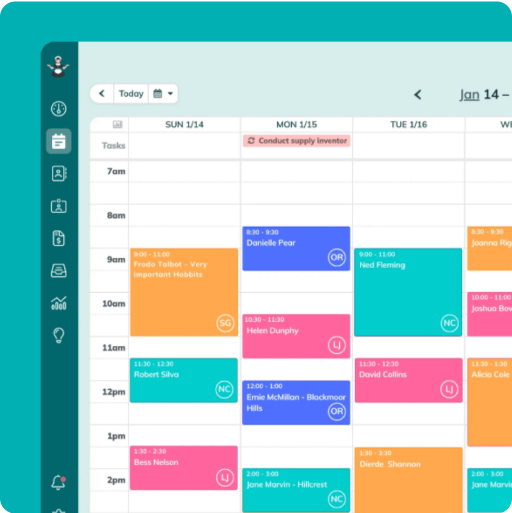
Simplify and enjoy your scheduling with a scheduling software made for maid services
- Have a beautiful calendar that's full but never stressful.
- Make your cleaners happy and provide all the information they need at their fingertips.
- Convert more website visitors into leads and get new cleanings in your inbox with high-converting booking forms.
- Become part of a community of 8000+ cheering maid service owners just like you.
Start your FREE ZenMaid trial today and discover the freedom and clarity that ZenMaid can bring to your maid service! Start your FREE trial today