Frustrated with your scheduling? Try the easiest-to-use calendar app, made by and for maid service owners.

Brought to you by expert cleaning business owners

Tips and advice shared here have helped us grow our own maid services. The ZenMaid team currently has 5+ current and former cleaning business owners on our team, including our Founder and CEO, Amar. We’ve been in the maid service industry for 10+ years and counting.
We partner with amazing leaders in the cleaning industry, including Debbie Sardone, Stephanie Pipkin, Angela Brown, Chris Schwab, and many more — all to provide you with the latest industry insights.
We’ve built the easiest-to-use, comprehensive cleaning business software, built specifically for the industry!
Your Google Business profile is an essential step to building awareness of your company in your local area. Google Business profiles appear all over Google and Google Maps, helping potential clients find relevant businesses local to their areas.
While having a Google Business profile is great, spending an hour or so optimizing your page will yield dividends in return. Ranking in your local area on Google Maps is often more rewarding than coming up first in Google Search because you’ll appear in what’s called your Local Pack, a shortlist of search results that come up when a query with local intent is made. If you were to Google “cleaning companies near me,” the businesses that show up first are part of this prized Local Pack.
In this guide, we’ll cover five areas to focus your optimization efforts on and make suggestions for how to tackle the improvements. If you haven’t set up a Google Business profile yet, you’ll want to set up your profile before diving into this optimization guide.
Table of contents
Select Your Business Category
When you create a new Google Business profile, you’ll be asked to enter the name of your business. Check here to see whether someone else has already created a business profile for you — in some cases, helpful strangers have done this for you, but you can claim that business as your own to manage the page.
After you create the page, you’ll be asked to enter a business category:

Setting your business category is necessary, but of course, every cleaning company or maid service will have different areas of focus. For example, a commercial cleaning company may not want to list their Google Business profile as a house cleaning service, but if they offer both, you can choose to list both options.
Likewise, each cleaning company will offer different types of services. Google Business has a separate area in setup where you can add the specific services your company offers. It’s best to list each of your services separately because this will associate your business with the widest variety of queries related to the services you provide.
In the example below, we’ve added deep cleaning, moving-related cleaning, and standard cleaning as services:

Google helpfully suggests related queries, which you should consider adding if they are relevant. Try to stick to these separate services instead of creating new ones — this helps make sure that your business shows up as an option in Google searches, helping your SEO and informing customers about what you offer.
Choose Photos That Represent Your Business Well
The Google Business Setup Wizard does a pretty good job of explaining how and where photos will be used, but most of its suggestions focus on businesses with physical storefronts, especially for Maps.
If you do have a storefront, you should add a photo of the building or signage outside to help your customers identify you and locate the office when they visit.

But many cleaning services don’t have offices, let alone ones that you’d want customers visiting!
In this case, think about choosing photos for your Google Business page as an opportunity to share your company culture with prospective clients. Consider posting photos of your team here, the same way you might on a company Facebook page.
Consider adding photos of your work to your page to help prospective clients get a sense for the cleanings you provide. If you haven’t had promotional photos taken yet or need new ones, sprucing up your Google Business page is a great reason to finally schedule that shoot. New, recent photos added to your Business page help potential clients verify your business is active and responsive.

Another way to share recent photos of your work is to ask your clients directly! Sending a quick request via email (or on an active Facebook page) to clients usually yields a few new pictures, and you can easily convince a few more customers to share photos in exchange for a 5% discount on their next clean.
Once you upload the photos you want to share, you can choose which ones appear when your business comes up in search. On Scrub! Residential Cleaning’s Google Business page, you can see they have over 49 photos associated with their page that show their cleaning techs, their logo, and pictures of homes they’ve cleaned:

Build a Solid Google Review Request Cadence
If you’re not regularly asking customers for reviews or testimonials, you should start today! Google Business Reviews power the star rating Google gives each listing, which will be a huge factor in clients’ decisions to move forward with your business or not.
Having a high rating on Google is not only nice, but it also means your business may show up higher in the Local Pack, or the short list of companies we mentioned earlier that come up in local searches. Typically, businesses that appear in the Local Pack get higher conversion rates for new business from their Google Business profiles.
Reviews are given high priority on the Google Business page template:

This makes it especially important to keep reviews fresh, frequent, and honest, as prospective customers are more likely to review them before booking.
Asking for reviews doesn’t have to be difficult or time-consuming. Take a few moments to draft an email, text message, or Facebook page message asking your clients to leave reviews. If you’re nervous to ask, or only just starting to collect reviews, don’t fret — you don’t have to ask your whole client list at once!
Choose a portion of your client list to send this message to each month. Our best recommendation for keeping things fair and honest is to randomly select 5–10 clients per month, but you can use your best judgment about who on that list actually receives the request. For example, if a long-time client has recently had an unexpectedly bad experience, you probably don’t want to email them to ask for a review right now, but they could be asked later.
Pro Tip: ZenMaid can help you automate your ratings and review requests, so you always keep a steady request cadence with little effort. Though reviews collected in ZenMaid are private, when a client leaves a new positive review, you have the option to follow up with that client to ask if they’d consider re-posting their review to your Google Business page — in one click!
Set Up the Q&A Section
Google Business offers a Q&A section where you can answer clients’ questions directly. But you can prepopulate this, too, which helps you provide potential customers with more information about your business.
Other business owners often overlook the Q&A section because it requires anticipating their customers’ needs and questions to some extent. This means it’s a great opportunity to get ahead of the competition!
If you already have a running Frequently Asked Questions list internally, or you just have a list of questions in your head you’re tired of answering, that’s a good place to start. If you don’t, spend a week writing down the questions people ask when they call or email your business, and use that to jog your memory.
Some example Q&As to post on your Google Business account could be:
- How long does the average cleaning take?
- How regularly do you recommend cleanings?
- What services do you offer?
- Do you offer moving-related cleans?
- What types of cleaning products do you use?
When you’re ready to add them to your profile, the question-and-answer form is easy to use; take a closer look in this helpful video.
Use Google Posts to Share Discounts and Offers
Google Posts are a lesser-known feature of Google Business pages. Unlike the Q&A section, you are in total control of this section of your profile as the business owner. Posts will appear in two places:
- In the “Overview” section under “Updates” when you’re on a mobile device
- In the “From the owner” section of the page when you’re on a computer
Google recommends using this feature to “share announcements, offers, updates, and event details directly with your customers on Search and Maps,” similar to how you might treat a business newsletter or Facebook page.
The benefit of using Google Posts over those other options, however, is the chance to offer appealing deals to new clients, as well as existing ones. If you’re looking to build your client list or expand into a new area, offering a discount for first-time cleans on Google Posts may help attract new attention.
Here’s a good example of a timely, well-written Google Post:

There are some rules to posting Google Posts that may affect what you actually say. For example, including a phone number, even a business number, may get your post rejected by Google’s guidelines. Every Google Post also has a 6-month time limit before it is archived, which encourages you to post only time-limited deals or notices about events happening on specific dates.
Take Inspiration from Your Peers
It’s never a bad idea to take a look at what the rest of the cleaning industry is doing to get some inspiration. If you’re still fiddling with your page after optimizing it, take a look at how other businesses in your area are using their Google Business pages and try adding (or removing!) certain content. Checking in with other people, even by snooping online, can help you get a sense of what you’re doing right, wrong, or just differently — and may even help you find a way to make your business stand out.
With ZenMaid, we can help you find more time in your day to optimize your Google Business profile and grow your business. Start with helpful automations for things like appointment reminders and review requests, and scale quickly with booking forms, credit card processing, payroll, and more.
Need more inspiration? Join The Mastermind, a group of 10,000+ cleaning professionals who share tips, tricks, and stories about their businesses in a like-minded community.
QUICK TIP FROM THE AUTHOR
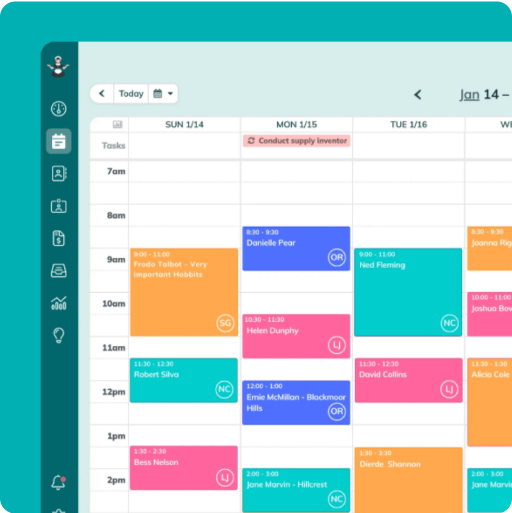
Simplify and enjoy your scheduling with a scheduling software made for maid services
- Have a beautiful calendar that's full but never stressful.
- Make your cleaners happy and provide all the information they need at their fingertips.
- Convert more website visitors into leads and get new cleanings in your inbox with high-converting booking forms.
- Become part of a community of 8000+ cheering maid service owners just like you.
Start your FREE ZenMaid trial today and discover the freedom and clarity that ZenMaid can bring to your maid service! Start your FREE trial today