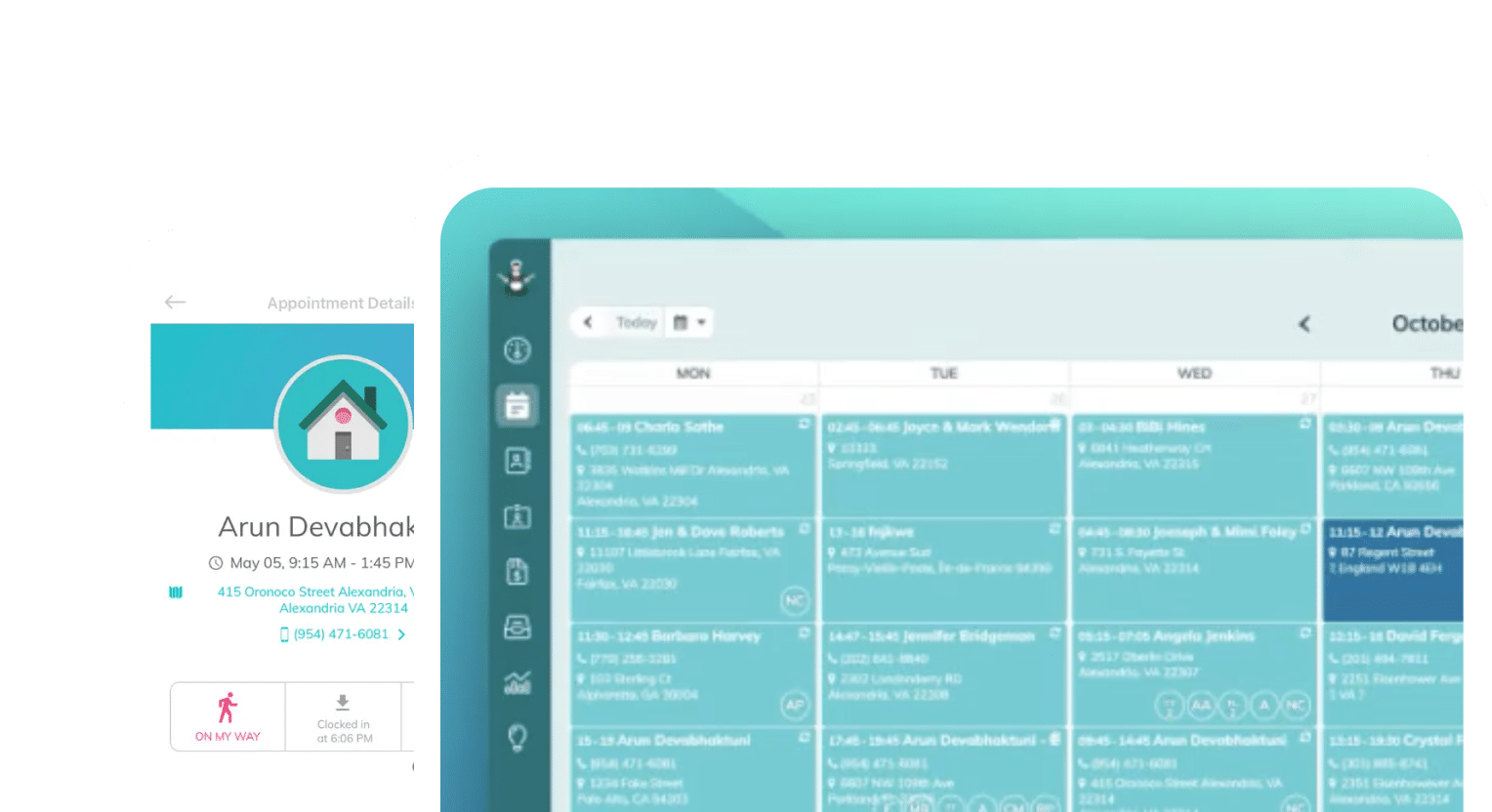
Frustrated with your scheduling? Try the easiest-to-use calendar app, made by and for maid service owners.
Growing your cleaning business means maturing your operations in the background. As you rise to meet the needs of more clients, employees, and jobs, the systems that support you need to be reinforced — usually with software.
We’ve gathered our top recommendations for software and operations tools that cleaning business owners can use to reclaim their time from administrative work and shore up the systems behind their businesses.
We organized this list into categories based on common cleaning business operations so that if you’re tired of doing a specific job, you can find a solution quickly.
You can also use this list to compare software options. Certain software offers multiple functionalities and is listed multiple times across this page based on use case.
Table of contents
Tracking Time On Site Per Job
Cleaning business owners tend to keep a close eye on each cleaner’s time on site, especially when scaling. The amount of time you spend on site per job determines how many jobs you can complete in a day, which means it’s a foundational number for setting your hiring plan, your advertising budget, your profit margins, and figuring out how quickly you can grow.
There are also a few other things you’ll want to think about before making your final software choice:
- Whether you need GPS or geofencing to confirm crews are actually on-site
- Whether you want time data to flow automatically into invoicing, which could be useful if you bill hourly)
- Whether you’re managing one crew or several simultaneously across different jobs
If you answered “yes” to all three questions, a full-service management platform purpose-built for cleaning businesses will be your best fit. These software bundles track with job scheduling and invoicing.
Here’s a quick comparison table covering the three full-service software options, ZenMaid, Jobber, and Housecall Pro:
| Feature | ZenMaid | Jobber | Housecall Pro |
| Mobile app | ✅ | ✅ | ✅ |
| Job scheduling | ✅ | ✅ | ✅ |
| Cleaner availability & PTO tracking | ✅ | ❌ | ❌ |
| Cleaner clock-in/out | ✅ | ✅ | ✅ |
| GPS location verification | ✅ | ✅ | ✅ |
| Client invoicing | ✅ | ✅ | ✅ |
| Route optimization | ✅ | ✅ | ❌ |
| Two-way syncing with QuickBooks | ✅ | ✅ | ❌ |
Sometimes, you’re not ready to take the leap with full-service software. Maybe you’re still refining a process and want to be more hands-on with it. Whatever the case, you still have some software options that are less fully-featured but efficient and helpful.
Connecteam and mHelpDesk are both popular with cleaning businesses that have multiple crews. Connecteam focuses on employee management features, but does not offer client management.
mHelpDesk focuses more on client management, offering client communication and billing features, but does not offer team management features.
Smaller yet are software like QuickBooks Time, Homebase, and Clockify, which all just let employees clock in and out of jobs by a project code. Their hours are then synced with your payroll software at pay time. If you don’t need scheduling or invoicing yet, these are lighter and cheaper options that could work.
Managing Employee Payroll and Accounting
If there’s one thing cleaning business owners know, figuring out payroll and calculating wages for cleaners gets complicated quickly. It isn’t uncommon to track time and payroll separately, and the idea of consolidating them sounds like a nightmare. It’s not.
The benefits to consolidating payroll with your time-tracking tool will far outweigh the friction of combining them. Consider these payroll-related quirks in the cleaning business:
- Tracking hourly workers
- Converting flat rates to hourly wages
- Calculating drive time pay or gas rebates between multiple job sites
- Managing part-time or seasonal staff
- Matching cleaners to recurring clients for billing purposes
Having to juggle all of those separate calculations manually will leave little time for you to focus on growing your business. Choosing a payroll and accounting software that can handle this volatility will save you a lot of time and effort.
Many payroll and accounting software exist, but some are more tailored to the cleaning business or personal and home services industries, and can anticipate complicated billing, payroll, and other administrative needs with ease. These include ZenMaid, HousecallPro, and Jobber.
ZenMaid ties payroll directly to job-tracked hours and removes the need for manual calculations. If you already use QuickBooks for bookkeeping, you can integrate it with ZenMaid directly and consolidate everything in a single click. This also lets you clearly track and see cash flow across your business, from client to employee to profit. Two-way syncing also means you have real-time financial data to work with.
Jobber and Housecall Pro are similar options that also let you export tracked time directly into payroll runs, but only sync one way. This means any changes that happen later in the process won’t be reflected in Jobber or Housecall Pro.
If you haven’t set up payroll or accounting software and you need a place to start building, Gusto and QuickBooks Payroll are the most common general-purpose payroll software choices for small cleaning businesses. Both software handle tax filing, direct deposit, and hourly wage calculations.
Onboarding New Cleaners
Bringing on new cleaners or office staff can be daunting. Every business has its own unique ins and outs, and training someone on all of them so that they can be trusted to operate independently might feel overwhelming.
With software, onboarding new cleaners becomes systematic. You can document cleaning procedures, collect employment paperwork, train on safety/chemicals, and get everyone up to speed on client preferences in a single place.
Depending on where you are in your growth journey, you may not need a big software solution for every HR or onboarding task the way large businesses will need. Take a close look at your growth plans and ask yourself these questions:
- How many cleaners will you want to hire and onboard at one time?
- How do you feel about your training and onboarding systems now? Are they effective, or do you have a lot of retraining to do?
- What is your least favorite or the most tedious task in your onboarding process?
- Is your paperwork in order, or do you struggle to keep track of employees?
- How long does it take you to do your taxes? Do you wish you were more organized or efficient over the quarter so that it would be easier?
If any of these questions gave you anxiety, or made you realize you don’t know how to answer, software can help. Software automates some of these processes and keeps you organized by design, and will typically help you address all of these questions at once, rather than piecemeal.
Here’s how the tool landscape breaks down for cleaning business owners.
HR and onboarding paperwork
This includes setting up W-4s, I-9s, and direct deposit; signing employment contracts; tracking certifications; and performing background checks on new and prospective employees.
| Tool | Description |
| Gusto | Easy to use and set up, designed for smaller businesses across a variety of industries |
| BambooHR | For small and mid-sized businesses looking to scale |
| Rippling | A broad HR/IT platform that primarily serves mid-sized and large businesses |
Training and procedural documentation
This includes SOPs, step-by-step cleaning checklists, chemical safety protocols, and client-specific instructions.
| Tool | Description |
| Trainual | Helps you create onboarding and training courses for new hires that make systems repeatable |
| Notion | Organizes information like documentation and client notes, but does not integrate with other systems, like clock in/out apps |
| ZenMaid | Stores training documentation alongside cleaning checklists and client information to standardize your cleaning operations |
Cleaning operations and onboarding
This includes adding new cleaners to schedules, assigning jobs, accessing job details and client notes, and clocking in and out of jobs on the go.
| Tool | Description |
| ZenMaid | Unites job scheduling, cleaner availability, client notes, and clock in/out in a single place; meets the needs of cleaners, clients, and owners in different ways |
| Jobber | Mostly client-facing; handles scheduling and cleaner availability, but lacks some on-site cleaner features |
| Housecall Pro | Mostly owner-facing; handles scheduling, availability, and client notes |
Client and cleaner communications
This includes shift reminders, employee and staff announcements, PTO and cleaner availability, appointment reminders, and more.
| Tool | Description |
| ZenMaid | Notify clients and cleaners about upcoming appointments; handle cleaner availability in the same place you schedule jobs |
| Jobber | Client booking, scheduling, and cleaner profiles in one place make communications simple |
| Connecteam | Biggest focus is internal communications, not clients; offers some scheduling and client notification features |
| Homebase | Least feature-complete of the list for cleaning businesses; offers basic scheduling and time-tracking features |
Most small cleaning businesses will be well-served by a combination of Gusto for paperwork, Trainual for procedures, and ZenMaid for field service and cleaner scheduling. Unlike Jobber and Housecall Pro, ZenMaid is specifically designed to meet the needs of smaller cleaning business owners, serving all three main user groups (clients, cleaners, and owners) well.
Remember: as you scale, it’s important to regularly assess the value of the software you purchase. Your needs will change drastically as you grow your business, especially when you take on new staff, and some software isn’t designed to handle as much as you may have to throw at it.
Offering Self-Service Booking and Appointment Rescheduling
One big quality-of-life win for both clients and owners is introducing self-service scheduling and rescheduling. Letting clients handle their own appointments significantly cuts down on back-and-forth texts and calls between you, your cleaners, and your clients.
Luckily, it’s also the most accessible, common type of software available in this list. Scheduling services are in such high demand that many options exist and are customizable based on your needs or industry.
Cleaning-specific platforms
Software that is built for (and by) cleaning business owners will handle booking and rescheduling most smoothly. ZenMaid’s client portal is built with recurring cleaning schedules in mind, and clients can request reschedules directly, which then routes to you for approval before confirming. This is great when you want a buffer between scheduling or rescheduling jobs and committing to them, whether you’re scaling or uncertain about staff availability.
Rather than instant changes hitting your schedule and being confirmed with the client, you can control what happens. Plus, you can customize your booking forms with your branding, and make them feel like a familiar part of your business to clients.
Jobber offers a client hub where customers can view upcoming jobs, approve quotes, and request changes. It’s polished enough that clients actually use it, but the settings default to automatic appointment reschedules, which might introduce chaos where you least expect it.
Housecall Pro similarly has a customer-facing portal with self-service options, but is less client- and user-friendly than the other options.
Booking-focused platforms
Between field-specific platforms and more general options, Launch27 and Bookingkoala put heavy emphasis on the client-facing booking experience. Online booking, rescheduling, and payment all happen in one flow. If you’re ready for a consumer-grade experience, but don’t want or need other job management services, these will serve you well.
General booking and scheduling tools
If you’re not ready to dive into setting up a full field service app, or you just want to solve this one scheduling pain point, a general tool might be a lower lift for you. Go further toward full self-service for clients with Calendly, Acuity Scheduling, or Square Appointments.
Each of these options lets clients pick and reschedule their own appointments without your involvement at all, though they lack the job management and invoicing features of the cleaning-specific platforms. If you’re already using Square for payments, you can combine concerns with Square Appointments, which means you spend less time on setup.
What’s best for recurring booking management?
Residential cleaning businesses are built on recurring bookings. This is the steady business you need to find your rhythm in business while making money.
Managing recurring bookings well is a key step in growing your business and gaining time back in your schedule. Handling frequency changes, skips, price adjustments, and client-specific notes across a recurring schedule manually gets messy fast — but the right software will make it a breeze.
The cleaning-specific platforms we mentioned in this list (ZenMaid, Jobber, or Housecall Pro) are the strongest fit here because recurring booking logic is built into their core, not as an afterthought.
For example, ZenMaid is designed almost entirely around recurring residential cleaning schedules. It handles weekly, biweekly, every four weeks, and custom frequencies, lets clients skip or pause without you having to manually rebuild the schedule, and tracks recurring job history per client. It’s the go-to recommendation for residential cleaning companies specifically because of this focus.
Jobber is similarly strong and lets you set different pricing per visit type. It also offers good client communication tools around recurring jobs and may scale better if you also do commercial work alongside residential.
Housecall Pro handles all of the above and offers dispatching tools for businesses that have multiple active crews working each day.
If you’re looking at other tools we mentioned here, look at a few recurring-specific features when making your decision:
- Can you skip a single occurrence without disrupting the whole appointment series?
- Can pricing vary between first-time and recurring visits?
- Will clients be able to self-manage their frequency without calling you?
- How does the tool handle recurring jobs when a crew member is unavailable?
Automate Your Cleaning Business Operations with ZenMaid
Despite all of the pros and cons of each software we’ve shown you here, we still think ZenMaid is the top choice for cleaning business software. We might be biased, but with over a dozen cleaning business owners already working on the ZenMaid staff, we know what we’re talking about.
ZenMaid ties together scheduling, client communications, cleaner management, and recurring bookings in one place — so you can stop patching together a dozen different tools. Start your free trial and see how it fits your business.