Frustrated with your scheduling? Try the easiest-to-use calendar app, made by and for maid service owners.


Brought to you by expert maid service owners
Communicating clearly with clients should be your top priority, especially when they’re new. Maintaining a professional, timely, and informative communication plan for all of your clients helps you prevent last-minute cancellations, match your clients’ expectations more often, and set the record straight when incidents occur.
We’ve got some helpful templates in this article to get your writing juices flowing, along with tips for when to send communications, what to include in each notice, and where to find additional resources if your situation needs more care.
Table of contents
Welcoming New Clients and Preparing Them for Their First Service
Welcoming a new client can be both exciting and anxiety-inducing. There’s a lot to tell your new client about your business and how you work!
Answering frequently asked questions up front in a welcome message will signal to your clients that you’re organized and professional. Plus, it’s a great chance to orient your client to your preferred way of working and set yourself up for a successful first clean.
You can also choose to send separate welcome and preparation emails — one that orients your client when they sign up, and one later that arrives 24 or 48 hours before their first service.
Here’s an example welcome message for new clients:
Welcome to [NAME OF YOUR BUSINESS]! We are so excited to work with you. Attached are some important documents to review and sign:
- Our cleaning service contract, which you must sign.
- Your cleaning checklist.
- A welcome guide, outlining our policies for cancellation, reschedules, cleaning safety, and more.
Your first service is scheduled for [DATE AND TIME]. Please give us 48 hours’ notice if you need to cancel or reschedule. If less than 48 hours’ notice is given, we will charge a 50% service fee to your account.
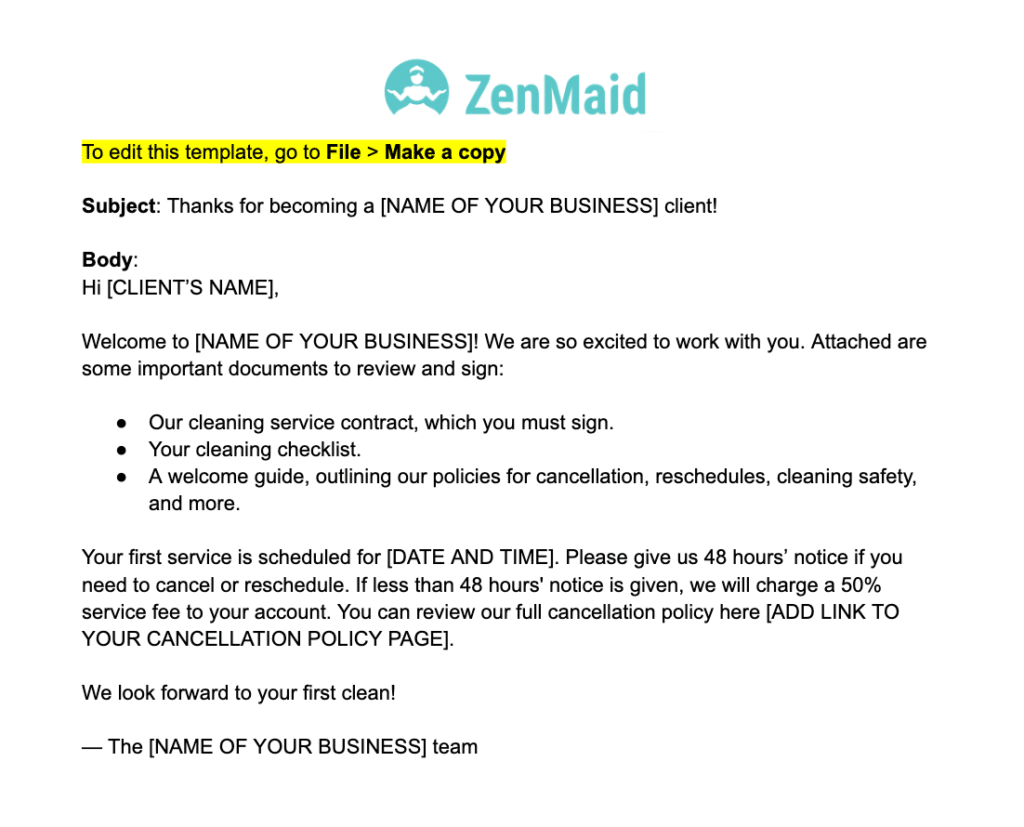
To access this free, customizable Welcome Template, click the link below to our Google Docs. You can click File > Make a copy to customize it for your own business!
And here’s an example FAQ message that tackles some basics:
Welcome to [NAME OF YOUR BUSINESS]! We are thrilled to work with you and want to be able to leave your home sparkling. In order for us to be able to provide the highest quality cleaning service possible, please read this email in full.
Preparation:
There are a few things we need you to prepare before we arrive:
- Please review your cleaning checklist to make sure everything gets cleaned.
- Please put away the following items:
- Anything that would inhibit us from cleaning certain areas, such as loose papers, dog toys, children’s toys, etc.
- Anything of a sensitive nature.
- All dishes are put away so that we’re able to thoroughly clean your sink and kitchen.
- Please make sure the vacuum is accessible if you want us to use yours instead of ours.
Entering Your Home:
We offer three entry options:
- Someone grants access to your home the day of the service. If no one is home, or our cleaners are turned away for any reason, you will be charged half the service price for that day.
- Provide us with a code to gain access to the home, along with the step-by-step process we should use to unlock and lock the door. In the event the code given is not correct, or the access pad is not working, and the cleaning technicians cannot gain access to the home, the client is responsible for the lockout, and we will charge a 50% cancellation fee for the service.
- Purchase a lockbox to place a key or garage door opener inside and provide us with the passcode to the lockbox. If the code does not work when the cleaning tech arrives to clean the home, you will be responsible for the lockout, and a cancellation fee of 50% will be charged for the service.
Timing: We service homes between the hours of 8:30 a.m. and 5 p.m. [ADJUST AS NEEDED]. Every property we clean is different, and we can’t provide exact arrival times. However, we will strive to be at your home within a two-hour window of the estimated start time given to you.

You can access this free FAQ email template here:
Informing Clients About Price Increases
Price increases can sometimes be a touchy subject, even when they’re justified. However, they are a routine business practice — and whether you’ve been in business for a while or are just getting started, you’ll always have a long-term account or two that may need to be brought up to a new standard as you grow.
Regardless of your reason for increasing prices, communicating the increase and your justification should be simple. Refer to your past relationship with the client in question, mention any additional work they’ve requested at appointments, and explain why this relates to an increase. Sometimes it’s appropriate to share your outlook for the business as part of your message, or referencing that as you’ve grown, costs have increased.
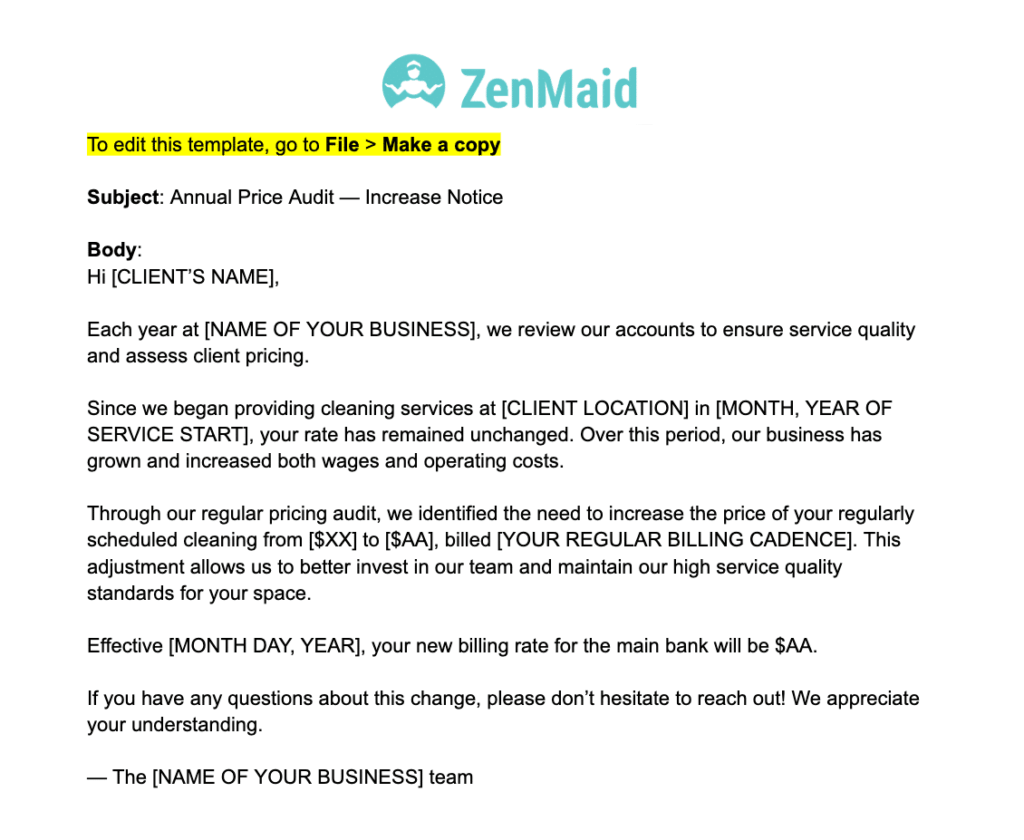
Below is an example script for informing clients about routine price increases. If you download using the link below the sample email below, you can alter the text to fit your situation:
Subject: Annual Price Audit — Increase Notice
Hi [Client’s Name],
Each year at [NAME OF YOUR BUSINESS], we review our accounts to ensure service quality and assess client pricing.
Since we began providing cleaning services at [CLIENT LOCATION] in [MONTH, YEAR OF SERVICE START], your rate has remained unchanged. Over this period, our business has grown and increased both wages and operating costs.
Through our regular pricing audit, we identified the need to increase the price of your regularly scheduled cleaning from [$XX] to [$AA], billed [YOUR REGULAR BILLING CADENCE]. This adjustment allows us to better invest in our team and maintain our high service quality standards for your space.
Effective [MONTH, DAY, YEAR], your new billing rate for the main bank will be $AA.
If you have any questions about this change, please don’t hesitate to reach out! We appreciate your understanding.
Note that if a client has requested a service increase or change that requires additional time on-site, you may need to communicate a price increase that goes hand in hand with the service change.
For this situation, you may need to explain that more time at their location requires that you minimize time at another location, and you need to recoup that cost. If you need to bring or prepare additional cleaning supplies and tools to complete a job, an associated cost increase shouldn’t raise many eyebrows.
Responding to Client Complaints Professionally
Complaints happen! And while it’s important to acknowledge your customer’s perspective, it’s equally important to stick up for your employees when clients demand too much.
Keeping your tone professional and your words clear is important when addressing client complaints. Try to strike a sympathetic but firm stance in your response:
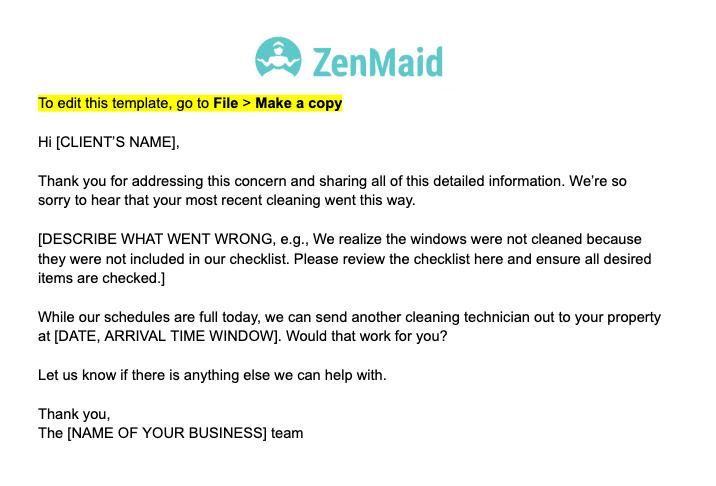
Thank you for addressing this concern and sharing all of this detailed information. We’re so sorry to hear that your most recent cleaning went this way.
Then, refer back to what your cleaning policies and guidelines offer as a fix, such as scheduling additional cleaning hours:
While our schedules are full today, we can send another cleaning technician out to your property at [DATE, ARRIVAL TIME WINDOW]. Would that work for you?
Here’s what it can look like when it’s all set and done:
Your welcome message and client policies will come in handy here, especially since each complaint will likely be different. Use them to inform your response as much as possible.
This is especially true when a client’s complaint stretches a boundary, or they allege that behavior against your safety policy has occurred. If a client complains about a cleaning tech’s misconduct, review the policy again and talk to your employees.
Certain offenses should be outlined in your policies, and if claims turn out to be true, clear action can be taken: for example, if someone has stolen items from a client’s home, that employee should be fired, and the client provided with a new technician.
Looking for a copy to get you started? Download it here:
Cancellation Policy Enforcement Templates
Setting up automated client check-ins is essential and helps clients abide by your cancellation policy. If someone needs to reschedule, they may forget to call or text to do so. But if they receive a message from your business prompting them to confirm or reschedule an appointment, they can do so and avoid being charged a cancellation fee — and you can avoid a headache.
Ahead of the minimum cancellation deadline that your cleaning policy states, consider sending a message like the following:
Hi, [CLIENT]! This is [NAME OF YOUR BUSINESS] checking in about your next cleaning, which is scheduled for [DATE, TIME]. Please confirm your appointment by [ENTER INSTRUCTIONS]. To reschedule, [ENTER INSTRUCTIONS].
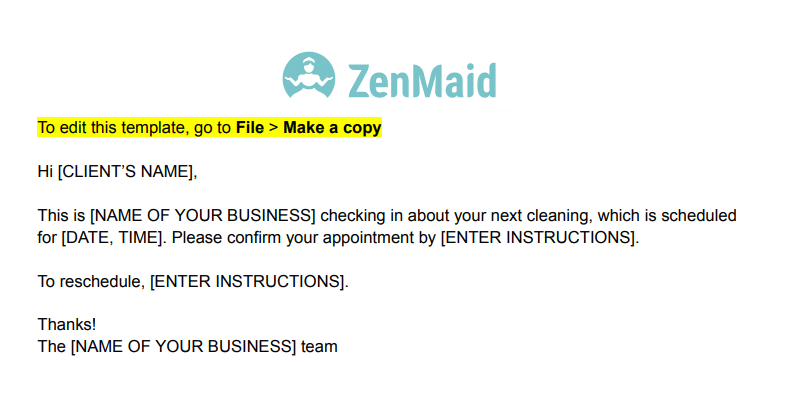
If your cancellation policy requires 48 hours’ notice, send this message 72 hours ahead of the scheduled appointment.
If a client is upset to be charged a cancellation fee after they failed to notify in time, refer back to the section on responding to client complaints and explain the policy to them. You can also use ZenMaid to send your clients a reminder of the cancellation policy before each appointment.
To copy the wording from our Google Doc, visit the link below:
Client Firing Documentation
At the end of the day, some clients just aren’t right for your business. Sometimes, they demand too much for the price of their account. Sometimes, your employees are mistreated. And sometimes, the client just can’t abide by the basic rules you outlined in your welcome email.
If a client needs to be fired immediately, such as for mistreating or harassing a cleaning tech, you may be able to break your contract immediately. In this case, outline the situation you or your tech experienced, explain that it violates your policies, and state that you will no longer do business with them.
In some cases, it isn’t so cut-and-dry why you’re firing a client. Firing clients because they aren’t right for your business can be difficult to do, but there will always be reasons for it, and hopefully, reiterating your service policies can back you up if and when a client pushes back.
We have some other tips here on how to fire clients kindly and respectfully if you need them.
Here’s a template for a non-urgent firing email, sent with 30 days’ notice:
After [LENGTH OF TIME SERVICES WERE PROVIDED], we have decided not to renew service at [LOCATION] effective on [END OF CONTRACT DATE].
If you still require cleaning services, we recommend reaching out to [ANOTHER SERVICE PROVIDER] for assistance.
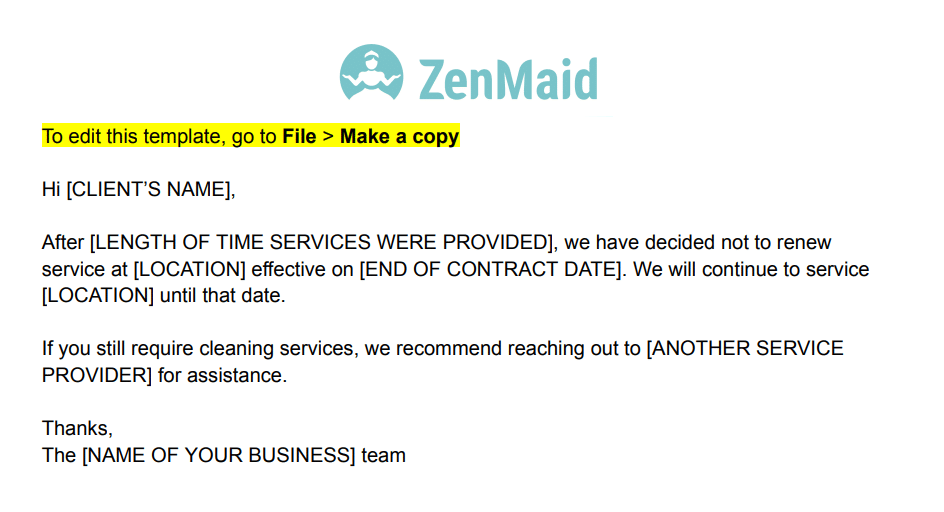
Keep it short and sweet! After a few days, check in with the client to ensure they’ve received the notice. For a copy of this template, click the link below:
How ZenMaid Automates Client Communications
ZenMaid provides a platform you can use to automate your scheduling and client communications — built specifically for cleaning businesses. You can easily set up customized, automated reminders based on your notice periods, whether that’s 72 hours before service, earlier in the week, or the day before. This ensures that clients receive reminders prior to service on your exact terms.
Each message can be fully customized, so you can proactively share information, such as your service policies, in advance and remind clients to prepare for your arrival.
Further, you can automatically send text reminders before appointments, creating natural checkpoints that prompt clients to cancel or reschedule within your policy window instead of waiting until the day of service. Fewer last-minute cancellations mean more revenue opportunities for your business!
ZenMaid also comes with recurring scheduling capabilities, centralized client notes, and a full communication history, all in one place — so your team stays aligned and informed without chasing messages across platforms.
The result is fewer last-minute cancellations, more predictable revenue, and a smoother experience for both your staff and your clients — all powered by automation that works quietly in the background. Let technology make everybody’s experience that much better!
QUICK TIP FROM THE AUTHOR
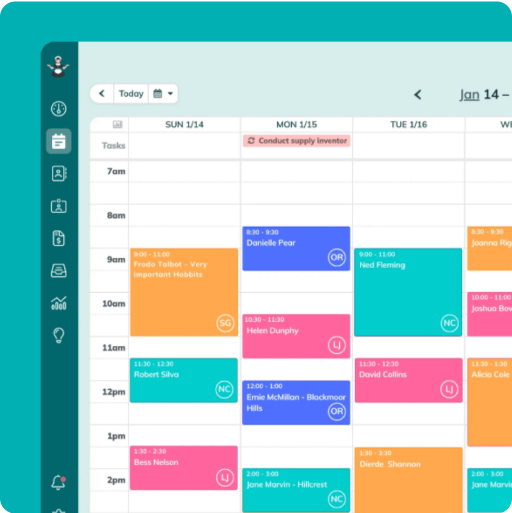
Simplify and enjoy your scheduling with a scheduling software made for maid services
- Have a beautiful calendar that's full but never stressful.
- Make your cleaners happy and provide all the information they need at their fingertips.
- Convert more website visitors into leads and get new cleanings in your inbox with high-converting booking forms.
- Become part of a community of 8000+ cheering maid service owners just like you.
Start your FREE ZenMaid trial today and discover the freedom and clarity that ZenMaid can bring to your maid service! Start your FREE trial today