Frustrated with your scheduling? Try the easiest-to-use calendar app, made by and for maid service owners.

Cleaning business owners today have a lot more freedom and flexibility in their roles than before. Cleaners, however, have always had to move between client accounts and often operate without a manager physically present or nearby.
If your team doesn’t have a central office, you’re most likely not seeing their work or able to check in unless you’re out in the field with them. This leaves gaps in your communication.
Software can fill this gap by providing you and your team with on-the-go scheduling, coverage, credentials, and quality tools. This makes it possible for cleaning business owners to monitor performance more closely, without hovering over anyone’s shoulder.
We’ll chat below about why improving remote performance matters, which specific features you should vet before buying, and how software can completely change your business and work-life balance for the better.
Table of contents
- Why Remote Performance Monitoring Matters
- Scheduling Software with Group and Team Assignments
- Shift Swapping and Flexible Coverage
- Tracking Certifications and Training
- Service Quality Ratings and Feedback
- Bringing It All Together: Choosing an Integrated Platform
- Best Practices for Implementation
- Conclusion
Why Remote Performance Monitoring Matters
Cleaning business owners face a familiar core challenge: you can’t be everywhere at once. Managing your team can feel impossible when they’re scattered across office buildings, retail spaces, medical facilities, and residential accounts, and you have to text everyone for an update manually.
A manager who spends the day driving between sites to spot-check work is burning hours that could go toward actually improving or growing the business. Whether you feel like you’re managing it well enough, or you’re on the verge of burning out, poor visibility carries a steep price.
The right software builds accountability and consistency with your team, and helps you make decisions that are grounded in real data rather than gut feel. There are three key reasons why it’s important that you can monitor performance remotely:
- You don’t wait to hear about missed opportunities or incomplete jobs: If a client calls you to complain about something, or cancels bookings after a bad appointment, it’s already too late. Monitoring performance remotely means you can identify trends early and keep relationships in the clear from the jump.
- You keep cleaners longer and in better standing: Turnover is high in the cleaning industry. Without proper structure and support, your cleaners won’t know what your standards are or how to communicate problems effectively. Managers can quickly lose their best people to burnout from making up for poor performers — save them from this by intervening sooner, using clearer performance data.
- You can deliver high-quality services from anywhere: Remote performance monitoring lets you track when shifts start and finish, see photos of finished work, and read client ratings as soon as they’re submitted. Everything lives in one place, accessible from a phone or laptop, wherever you happen to be.
Software that helps you monitor performance from your phone or laptop turns your business into one that runs with you, not because of you. You gain transparency, which you can use to make decisions instead of guesswork and gut feelings.
When problems are caught early, the whole team operates smoothly. When strong performers get recognized, other cleaners are motivated to improve their work. This is the trust that long-term employee relationships and a positive work environment are founded on.
Let’s look at what is needed in software to get your cleaning business running smoothly.
Scheduling Software with Group and Team Assignments
Whether you’re training new employees in teams or tackling big, multi-cleaner jobs, your scheduling software should come with features that let you track group and team assignments.
Calendar or list views should show you enough about a job that you can see:
- Your real-time schedule
- Where cleaners are assigned, with specific sites, zones, or client accounts noted
- Who is assigned to a team vs. individual clean
- How individual cleaners performed on each job
Map views can show you where appointments are taking cleaners each day and help you optimize your routes.
When you have easy access to these details, you can see how well new staff are progressing in training, how well experienced staff are maintaining pace, whether anyone is overscheduled or burning out, and double-check your hunches against hard data. You’ll appreciate this reliable source of information when it comes time for performance reviews, handling client complaints, and hiring.
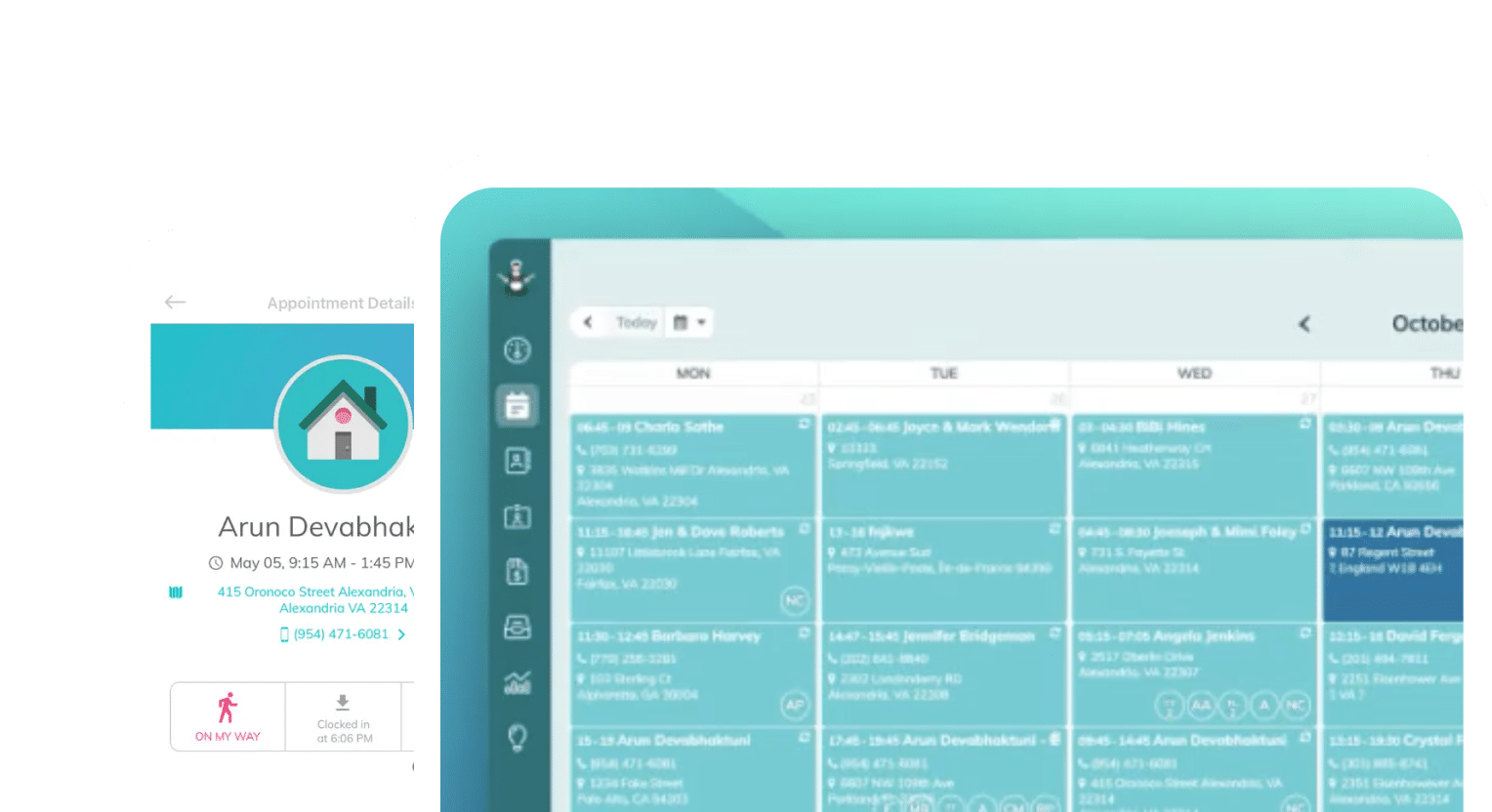
ZenMaid’s software has a robust scheduler and calendar view that lets you check in on every cleaner’s schedule, book appointments based on open availability, and track cleaners’ paid time off (PTO) in a single view:

When two cleaners are assigned to a single job, the job will appear on both calendars. You can also exchange this view for a list or map view to make route mapping easy.
Shift Swapping and Flexible Coverage
A perk of remote business ownership is that you can run your business without being physically present. But automation unlocks the oft-overlooked benefit of your business running without you being digitally present, either.
Shift swapping is common among cleaners, particularly part-timers who are looking for extra work and pay. If you employ part- and full-time cleaners alongside each other, automated scheduling might save you a lot of time and effort.
It might seem like a lot of work to shift the scheduling process to an automated self-service model. When you’re booking appointments, assigning shifts, and negotiating the changes to your schedule coming from all sides, you’re likely to feel overwhelmed by this alone!
Maybe it’s that you’re okay with letting clients book appointments on their own, but not with letting cleaners pick their own shifts. This is fair, but with the right guardrails in place, the right software can do both.
The right software is usually one that includes:
- Self-scheduling for clients
- Custom approval workflows that prevent double-bookings and last-minute cancellations
- PTO tracking for cleaners
- Different ways of tracking full- and part-time cleaner schedules
- Self-service shift scheduling or a volunteer tracking system that lets you book additional hours on cleaners’ schedules
- Manager overrides, like PTO rejection and booking confirmation, for balancing schedules
Approval workflows and manager overrides can still help when cleaners over- or under-schedule themselves. But especially once your teams are fully staffed, trained, and operating smoothly, they’ll appreciate the flexibility that comes with self-scheduling, even if they still need to confirm changes with you.
Tracking Certifications and Training
You should be using software that allows you to create and maintain cleaner profiles. This will help you tremendously in tracking staff certifications, keeping up with training, and planning annual recertifications in advance.
Even though safety, chemical handling, and equipment credentials need to be renewed regularly, each cleaner’s particular schedule will differ based on when they first got licensed. Letting software handle this means you can declutter your calendar of annual reminders and set automations to remind your staff about recerts on your behalf.
Moreover, by keeping training manuals, cleaner profiles, and schedules in the same place, you can easily monitor your staff’s overall performance in preparation for annual performance reviews.
Centralizing this information about your staff means saving time shuffling through notes and compiling reviews manually. Instead, you can see everything in a single view:
- Who needs to renew their licenses or certifications, and when, so you can proactively schedule around their appointments if needed
- Who has and has not completed their training modules, and who may need more training
- How regularly staff complies with policies and standards according to your expectations
- How skills stack up among different staff members, and how you can assign them more relevant work
Software gives you an impeccable picture of your business health, on the staff side and the sales side. When you can marry that data with your opinions of people, their skills, their fit with your business, and your long-term goals, you gain a deeper understanding of how to move your business forward with smart assignments, promotions of key people, and strong staff relationships.
Service Quality Ratings and Feedback
We’ve talked a lot about using service quality ratings in cleaner performance reviews, and now we’ll talk about how they’re an essential part of communicating with clients. Clients can directly report their rating and feedback, good or bad, via forms that are stored in your software.
Client-facing rating systems and satisfaction surveys are great sources of feedback, and software lets you compile responses about individual cleaners, which can help you assess everyone’s performance. They can also help you develop checklists that cleaners use to standardize cleanings and raise expectations to a certain level.
Letting clients upload photos to their feedback responses gives you the opportunity to do internal QA inspections and score your cleaners’ performance. This will also help you with turning ratings into coaching opportunities, such as checking in with struggling cleaners and offering more training.
ZenMaid specifically pairs service quality ratings with cleaner profiles, so that when clients leave reviews, they can call out good work by cleaners. This way, you know who on your team is consistently delivering, and who needs more help.

In any case, make sure that the software you choose can provide a view into the ways your cleaners show up at appointments, which helps you identify top performers and those needing support, all without needing to be physically present. Signals like low completion rates or poor quality ratings let you know exactly what you need to focus on and how to adjust.
Bringing It All Together: Choosing an Integrated Platform
We’ve written a lot about choosing the right software, building helpful automations, and running your business remotely on the ZenMaid Magazine, but our key finding reminds us: choosing an integrated platform makes everything easier.
Building one, interconnected system upfront will save you when, months later, your billing system gets too complicated to easily export into your payroll system, and you need to migrate software to combine them. Zapier may be able to help you connect a few tools, but integrations you custom-build are much more likely to fail than fully integrated systems designed to work together.
Staff also find it much easier to access client and job information on the go when they only have to check one app. Making check-ins, clock-ins/outs, and pay information accessible in the same place increases the chance that cleaners will log into their apps regularly, building better communication.
On top of this, over time, integrated platforms end up being a lot cheaper than paying for multiple different apps or tools. All-in-one software options typically run at higher price points than individual options, but cost less overall than three or four combined. Plus, all-in-one software prices scale with you, with more flexible plans available based on user count or usage rates.
Best Practices for Implementation
Whether you’re changing out a well-used software for something new or implementing software for the first time, you’ll want to consider how your staff adapts to it. We have four best practices to recommend:
- Get staff buy-in and training on new tools: Don’t make decisions about key software in a vacuum. Talk with staff about what they like and don’t like about the software — and listen to their suggestions or concerns about what to improve. When you do make a decision to migrate software, train staff on new features and make sure that everyone is on the same page about using it.
- Set clear performance benchmarks: Whenever you make changes, you should set deadlines for staff to feel comfortable and move over to new software. Deadlines don’t have to be used as punishment; you can use dates as guidelines for progress and nudge people along. If people don’t make the changes you request in time, you can address it with them individually.
- Use data without micromanaging: Review your data regularly. Get comfortable with using the information in your systems first, instead of running to cleaners or clients to answer questions. Your comfort level with the software directly relates to your ability to use it to grow your business, so make sure that you know what you’re looking for and how to find it.
- Iterate based on results: Take feedback from your cleaners and signals in the software. This could be positive signals, like booked schedules, or negative feedback, like not being able to access the app in remote locations without service. Change things to make them easier as much as you can.
Conclusion
The best remote monitoring setup should feel like clarity, not surveillance. Problems surface before a client picks up the phone, strong performers are noticed and rewarded instead of quietly burning out, and you make decisions based on what the data actually shows, not on gut feeling.
This is what a team looks like when they’re running efficiently. This team knows their expectations, has the flexibility to manage their own shifts, and sees their good work recognized.
In an industry where turnover eats margins and reputations, the tools that create transparency also create the kind of workplace people don’t want to leave. Oversight and support, it turns out, aren’t opposites — the right software delivers both at once.
If you’re still stitching together spreadsheets, group texts, and memory to keep your operation running, it’s time to make a change. Start by mapping where your current visibility breaks down: Where do jobs slip through? Which certifications are you tracking by hand? How do you actually know a client was satisfied?
Then look for a platform like ZenMaid that closes those gaps in one place. Our 14-day free trial is usually enough to see the difference between managing in the dark and managing with the lights on.