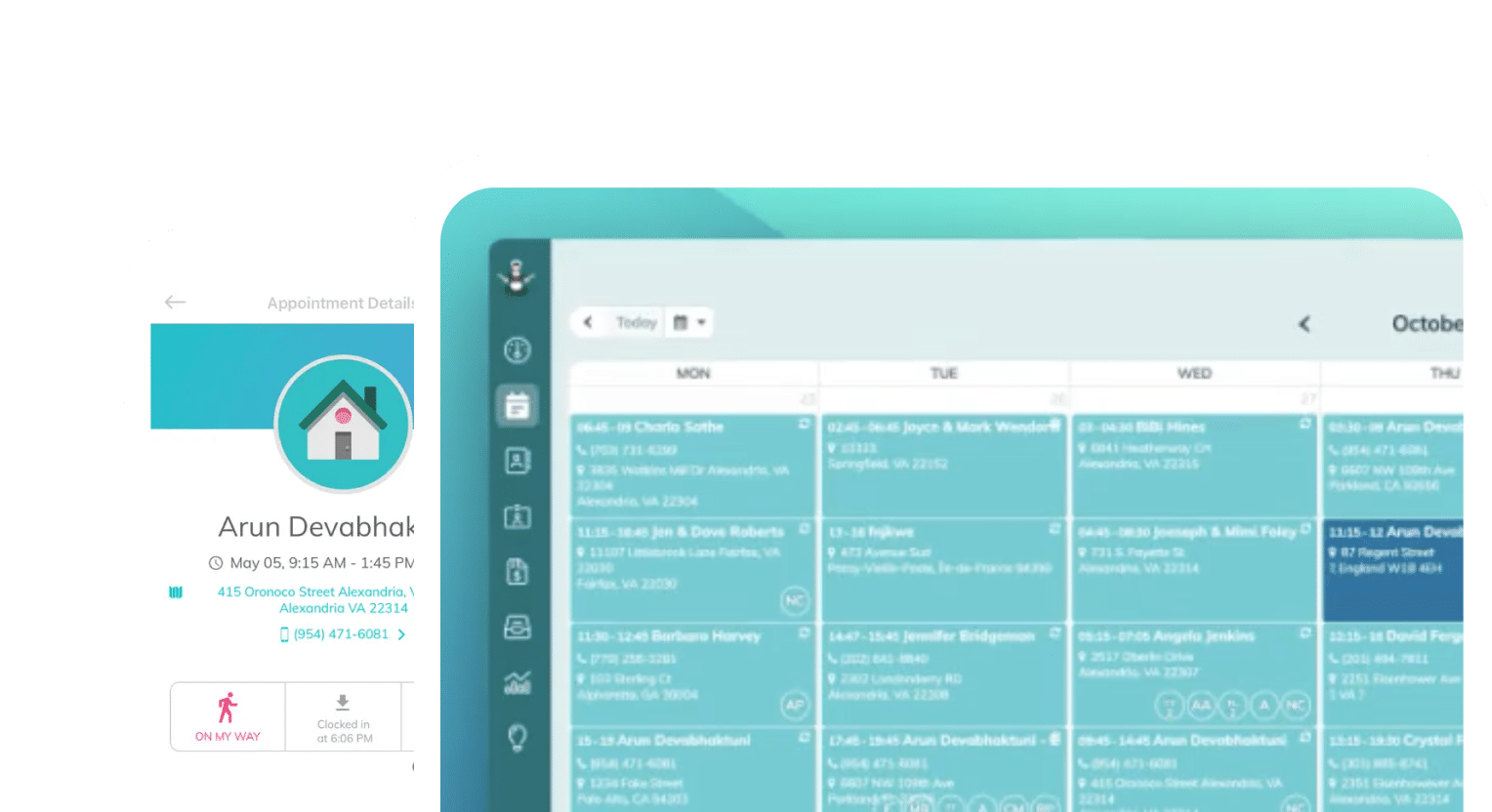
Frustrated with your scheduling? Try the easiest-to-use calendar app, made by and for maid service owners.

Your cleaners don’t work at desks. They work in kitchens, bathrooms, and living rooms across town — and the only computer most of them carry is the phone in their pocket.
Your scheduling system needs to live comfortably on that phone, and ideally, it should include job details, a clock-in and clock-out system, and anything else your cleaners need to do their best work. Without it, the alternative is running the day on memory, text threads, and paper printouts.
This works until it doesn’t. Cleaners miss appointments, mix up addresses, and log hours wrong — and every mistake costs you.
Strong, mobile-friendly software is worth the investment when you consider how much it can transform your operations. A whole category of mobile apps now exists to put each cleaner’s daily schedule, job details, and time tracking in their hand, and save you hours on follow-up each week.
In this article, we’ll help you pick scheduling software that actually fits how a maid service runs. While many home services tools exist, the ones built for HVAC technicians or general contractors often bury cleaners in features they’ll never touch.
Table of contents
What Your Cleaners Actually Need From a Mobile App
Let’s take a few steps back and take an honest look at what a cleaner’s day looks like. They wake up, check where they’re going first, drive there, clean, and leave for the next place, repeating three to six times. Then, they go home.
Already, we have five questions that cleaners need answered immediately:
- “Where am I going today?”: Your cleaner needs a clear day view that shows every appointment in order, with times and addresses, and since they’re most likely to use their phone, it needs to be a vertical, thumb-scrollable list
- “What does this client need?”: Your cleaner needs job details for each appointment. This includes entry instructions, alarm codes, pets, parking notes, which rooms to skip, and any one-off requests. When this lives in the app, cleaners stop calling the office mid-route
- “How do I get there?”: Either you provide the address so that cleaners can input it to their map app of choice, or your app offers one-tap navigation from the appointment directly
- “Am I on the clock?”: Mobile clock-in and clock-out, ideally with GPS verification, helps cleaners log hours accurately without paper timesheets — and so payroll doesn’t turn into a weekly argument
- “Did anything change?”: Automating notifications makes your job easier and communication smooth. Let cleaners know when you add, move, or cancel a job. Schedule changes are the single biggest source of confusion for field teams, and an app that updates in real time eliminates the “nobody told me” problem
A mobile app that answers all five of these questions in a single view is going to be your best bet at managing schedules on the go.
The Best Mobile Apps for Cleaners to Manage Schedules
There are many options for mobile apps, and there will never be a one-size-fits-all option that truly works for everyone. The right pick depends on whether you run a dedicated maid service, a mixed home-services company, or a solo operation.
Here are the apps worth shortlisting if you’re a cleaning business owner:
1. ZenMaid
ZenMaid is designed for residential cleaning businesses, and it shows in the mobile experience. Cleaners only need to open their app to see their appointments in order, client notes and entry instructions attached, and cleaning checklists that help them maintain service quality.
With GPS-verified clock-in and clock-out buttons, cleaners can log their time on site quickly, which makes tracking hours for payroll easy and direct.
What’s better is that a new cleaner can learn the app in one morning. ZenMaid isn’t trying to serve plumbers and landscapers at the same time, so the entire experience is more straightforward.
The mobile app syncs directly with your ZenMaid desktop view, so that schedule changes you make in the office sync instantly to every cleaner’s phone, and everyone gets notifications. Nobody shows up to a canceled job.
Cleaners also love how ZenMaid’s app makes client notes clear and easy to find. Notes can be added to a single appointment or to the customer’s entire profile, so cleaners always know exactly what to look out for before they arrive at a job:

2. Jobber
Jobber is a general field-service platform, and its mobile app includes many features: schedule views, job details, routing, and time tracking. But this can get overwhelming for cleaners who don’t need more complex or generalist-focused features.
With cleaners navigating an interface built for many trades, and per-user pricing adding up quickly for larger cleaning crews, you might end up overpaying for software that your cleaners find difficult to use.
If you’re planning to expand your business from residential cleaning to landscaping or plumbing, for example, Jobber might be the right fit for you. You can then easily communicate with staff across both service types and businesses from one place.
3. Housecall Pro
Housecall Pro packs a lot into its mobile app, including scheduling, dispatching, on-my-way texts, and payments. But it’s most popular with home-service companies that invoice by job, which isn’t typical in the cleaning business.
This means most of Housecall Pro’s features sit unused by recurring-clean maid services. Many teams have found the learning curve steep for cleaning staff who just need their route and their notes.
4. Connecteam
Ultimately, Connecteam is designed for managers and owners, not cleaners themselves. The app approaches the problem from the employee-management side: scheduling, time clock, checklists, and strong in-app chat.
On top of this, Connecteam doesn’t offer features specific to the cleaning industry, can’t manage clients or bookings, and doesn’t offer client communications. Most cleaning businesses that use Connecteam end up pairing it with something else — which means two systems to keep in sync and pay for.
If your main pain is internal communication rather than scheduling itself, it’s worth a look. But if you’re looking for an all-in-one cleaning business scheduling software, this won’t be the solution.
5. Maidily
Maidily offers a lightweight scheduling and booking tool for smaller residential cleaning businesses and solo entrepreneurs. The mobile experience covers your daily schedule and job info, and not much else.
Teams that grow past a handful of cleaners often start bumping into its limits around automation and team features. But if you’re looking for something easy to get started with, Maidily will serve you for the time being.
Comparing Your Options: 5 Questions to Ask During Your Free Trial
To choose the best software for your team, you need to do more than scan some feature lists. Learning software enough to understand how it will change your processes takes time — at least a week of real use. This is why we recommend running a trial with every software on your shortlist.
Run every trial with your actual schedule and have at least one real cleaner testing it out for you. Make sure you both answer these questions during your trial:
- Can my least tech-comfortable cleaner find tomorrow’s schedule in under 10 seconds? Hand them the phone and watch. Don’t coach.
- Do client notes travel with the appointment? Book a test job with an alarm code and a “skip the office” note, and confirm both show up on the cleaner’s screen.
- What happens when I move a job? Reschedule an appointment from the office and time how long the change takes to reach the cleaner’s phone — and whether they’re notified or have to notice on their own.
- How does clock-in feed payroll? Trace one shift from tap-to-clock-in through to the hours report. If there’s manual re-entry anywhere, that’s your future Friday afternoon.
- What does it cost at your real headcount? Per-user pricing looks cheap at two cleaners and very different at 12.
Put all of your answers into a pros and cons list. Organizing your thoughts and figuring out which software ultimately had the biggest impact on your productivity and communication during the trial will help you make a well-informed decision.
How to Roll Out a Mobile App Without Losing Your Team
Believe it or not, choosing your app is the easy part; adoption is where rollouts die. Luckily, we know that a few things consistently work for cleaning businesses making a switch:
- Run paper and app in parallel for one week: After a week, stop printing. A hard cutoff date prevents the “I’ll check the printout” habit from surviving forever, while the overlap week gives everyone space to catch mistakes safely
- Load all of your data before launch: Your cleaners will be impressed when the app immediately knows what they’re looking for. This is how you build their trust. Spend an afternoon migrating entry instructions, pet notes, and preferences before day one
- Make clock-in the non-negotiable: Everything else can be adopted gradually, but time tracking only works if everyone does it. Tie it to payroll from week one — hours in the app are the hours that get paid — and compliance sorts itself out quickly
- Ask cleaners what’s missing after two weeks: Your cleaners will surface real gaps (“I can’t see next week,” “notes are cut off”) that you can fix with settings or a support ticket rather than a new tool
We follow this system at ZenMaid during our customer onboarding process — and we know it works. Take a look at our customer reviews to see what they have to say.


Final Thoughts
If cleaning is your whole business, choose the app built for it. Generalist platforms like Jobber and Housecall Pro are strong products, but their mobile apps ask cleaners to work around features meant for other trades.
A maid-service-specific tool like ZenMaid gives your team exactly what their day requires: their schedule, notes, directions, clock-in/out buttons, and nothing they have to scroll past.
No matter the software you choose, hold every option to the same standard: a cleaner standing on a client’s doorstep at 7:58 a.m. should be able to answer “where am I, what’s the gate code, and am I on the clock?” in three taps or fewer. This is what a mobile app is supposed to do for cleaners, and the business owners that get it right stop losing hours to phone calls, printouts, and guesswork.
See what your team’s day could look like with ZenMaid. Sign up for a free 14-day trial and unlock the next big step in your business.
FAQs
What is the best mobile app for cleaners to manage their schedules?
For dedicated maid services, ZenMaid is the strongest fit because its mobile app is built specifically around a cleaner’s day: appointments in order, client notes attached, one-tap directions, and GPS clock-in. Multi-service companies may prefer a generalist platform like Jobber; larger businesses with more cleaners may prefer Housecall Pro.
Can cleaners clock in and out from their phones?
Yes. Most modern cleaning business apps, including ZenMaid, offer mobile clock-in/out with GPS verification, so hours on site are logged automatically and flow into payroll reports.
Do schedule changes update on cleaners’ phones automatically?
With cloud-based apps, yes. When the office reschedules or cancels a job, the cleaner’s app updates in real time and sends a push notification, eliminating missed or outdated printed schedules.