Frustrated with your scheduling? Try the easiest-to-use calendar app, made by and for maid service owners.

Most cleaning business owners maintain a mixed team, or a team consisting of several full- and part-time cleaners. Cleaners typically aren’t full-time workers, in fact, and the fluctuations in business that come with seasonality mean keeping part-time workers on call to absorb extra work when it comes in.
This works and is necessary to do from a business perspective, but can be really difficult to manage administratively. The number of cleaners adds significant complexity to your scheduling calculations: cleaners have different availability, different pay structures, and different levels of responsibility to your business.
As a cleaning business owner, you need to find systems to manage this chaos and make communication clear and consistent. Some HR and scheduling tools can handle differences in availability, but not the pay structures or the knowledge that some cleaners have built long-term relationships with clients and need to be assigned to recurring jobs.
You might be dreaming of the kind of set-and-forget method software provides, but think it’s impossible to achieve. It’s not.
Purpose-built software like ZenMaid is designed to absorb this complexity specifically for cleaning businesses. The differences in employee status, pay, availability, and relationship to the client are all considered when scheduling, and auxiliary cleaners can be swapped in easily when needed.
Let’s take a look at how to handle complex scheduling using ZenMaid as an example software.
Table of contents
- The Scheduling Challenge: One Calendar, Two Kinds of Workers
- Managing Pay Rate Differences in Hybrid Payroll
- Keeping Every Cleaner in the Loop, Regardless of Hours
- Time Tracking and Accountability Across Employment Types
- Software Pricing Considerations for Mixed-Size Teams
- Our Practical Setup Tips for Mixed Teams in ZenMaid
- Use Software to Manage Both Part- and Full-Time Cleaners
The Scheduling Challenge: One Calendar, Two Kinds of Workers
The biggest challenge with scheduling part- and full-time cleaners in a single calendar is how differently they serve your business. Consider this:
- Full-time roles: Designed to be predictable, easily bookable, and regularly serving your business. These are your highest-paid, most desirable cleaners, who you trust and can rely on. This is their only job, and therefore their top priority.
- Part-time roles: Designed to fill in the gaps. Their availability windows vary, and typically they have other responsibilities to juggle, like school pickups, second jobs, or limits on their time, such as only being able to work nights and weekends.
Accounting for all of this on top of client requests and pre-defined appointment slots makes a puzzle out of an already complicated situation. Without proper visibility, you risk double-booking people just as much as under-booking overall, which means losing out on the flexibility you need to schedule the maximum number of jobs you can take.
In practice, flexible scheduling means building some rules that anchor your calendar. Build recurring routes around your full-timers first — you need to keep them busy first, and you can rely on them to be available. Fill the gaps they can’t with part-timers, especially folks that have somewhat regular time in their schedule, such as recurring weekend appointments or Monday nights.
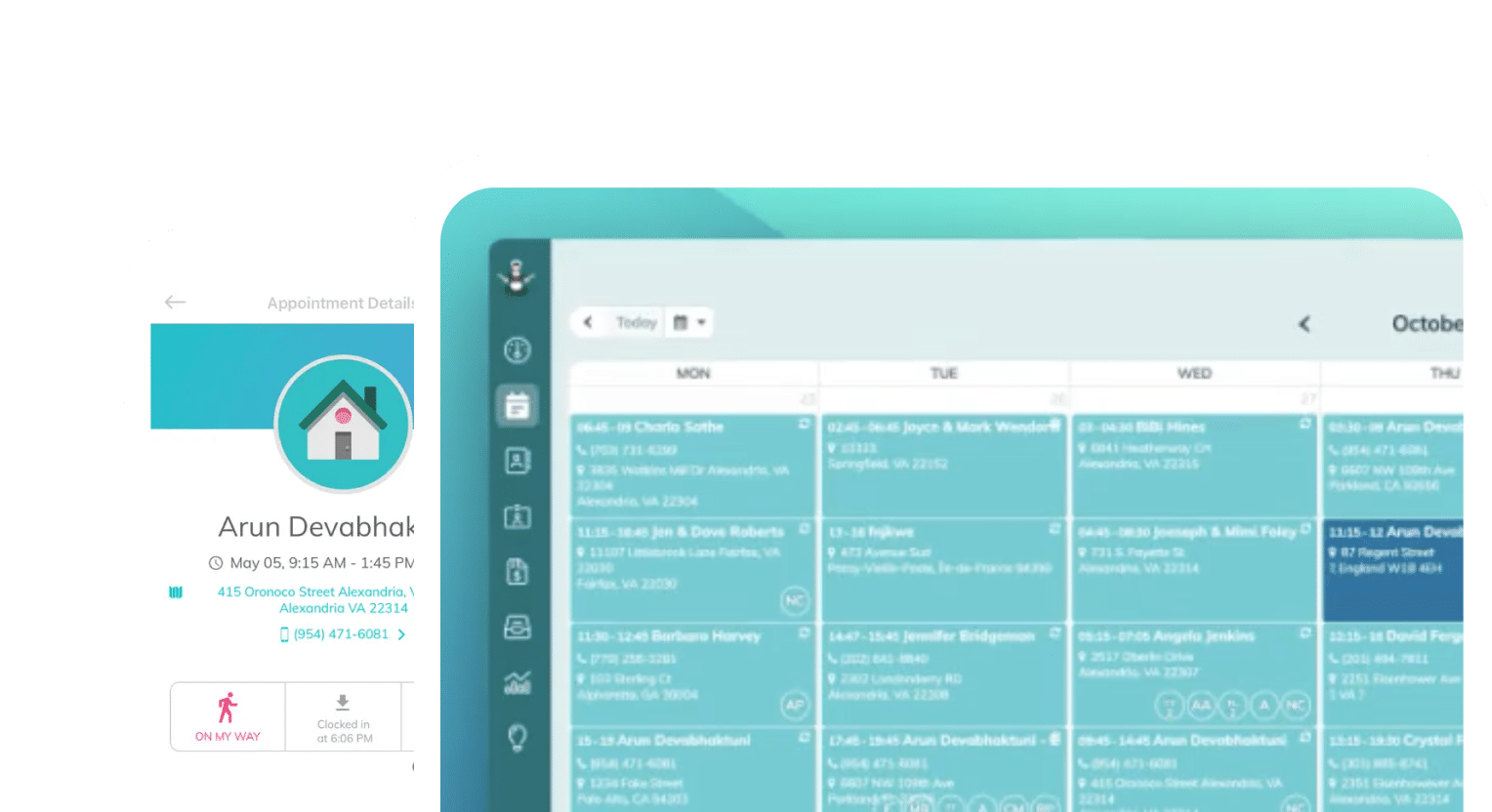
ZenMaid’s scheduling tools, which cover availability, PTO, and client requests, offer a visual workload indicator for cleaner capacity that makes it easy to see who is booked solid and who isn’t. Then, all you need to do is match available cleaners to jobs:

You have access to multiple calendar view options, including weekly scheduling grids, daily appointment lists, and route mapping to make regular scheduling a breeze:

You can also view each team member’s specific availability, which can be helpful during performance reviews and when you’re figuring out whether you need to hire more staff.

When last-minute bookings come through, these features also make it easy to keep a wide-open pool of unbooked part-timers that you can call on. ZenMaid offers availability and PTO tracking on higher-tier plans, allowing managers to see at a glance who can take a job. This makes booking approval, job assignment, and communications all nearly effortless.
Managing Pay Rate Differences in Hybrid Payroll
The key place HR and other scheduling tools fall short when it comes to software is in handling cleaner pay differences. Cleaners can be paid in multiple ways:
- Depending on their status as an employee (part- or full-time):
- Overtime for full-timers on long jobs
- Benefits pay, bonuses, and other performance-related benefits that part-timers aren’t eligible for
- Contractor vs. employee considerations for part-timers
- Whether clients can leave tips by card in your payment portal
- Mixing flat-rate jobs with hourly shifts in the same week
Figuring out cleaner pay among these differences can be an error-prone nightmare, and it doesn’t necessarily prepare you for taxes. Many businesses end up relying on multiple, separate software programs to handle scheduling, pay, and accounting, and then having to compile exports from each software to make calculations. In this case, a lot of manual labor goes into rectifying payroll and preparing for taxes again later.
ZenMaid handles more of this complexity than other software at the same price point. You can configure custom pay rates for each cleaner, so that you can identify different rates for part-time and full-time staff in the same system.
ZenMaid calculates weekly payroll based on scheduled and logged hours. Payroll is calculated once, and pays cleaners according to their hourly, flat-rate, or variable-rate from within the platform depending on the rules you set.
Even though ZenMaid doesn’t offer native payroll processing in the platform, exporting directly to QuickBooks removes the need for manual data re-entry or reconciliation after the fact. Pairing these software means that you can automate your payroll process entirely, and reclaim hours from your day each week.
Keeping Every Cleaner in the Loop, Regardless of Hours
Payroll isn’t the only major issue you face when working with a team of mixed-time cleaners. Communicating with everyone and making sure they all get the same updates requires a different level of effort for part-time employees than full-time ones.
Remember: full-time employees are your core staff. They’re the employees whose time you can count on most regularly. They receive updates passively as part of their jobs — whether you work from a physical location or remotely, full-timers can be counted on to log in to your software daily to log hours, make client notes, or ask questions while on-site.
It’s easy to communicate via employee portal, Slack, SMS message, or email with full-timers because they are logged in daily and accessible. But part-timers do not log in daily.
Just by nature, part-timers only log into your software when they work; otherwise, they most likely won’t check in. Email might be better for these cleaners because the chances of them checking a personal email account daily are much higher.
You can communicate with both full- and part-timers by setting up proactive outreach to the channels you know your cleaners will check. This will be different for every team.
Things like shift confirmations, job details, and last-minute change notifications are all important to automate, so that cleaners always have the most up-to-date information possible for jobs. Automating these notifications absolves you of needing to send these updates manually and reduces no-shows because cleaners didn’t see schedule changes.
Setting expectations with employees about communications should be done as early as possible so that you save yourself from micromanaging people who were never properly informed. During training, encourage all of your cleaners to check their particular channel regularly for these notifications if they aren’t doing so already.
Part-timers should be used to checking their personal emails and text messages, but if they have another desired channel, it isn’t unreasonable for them to ask that you communicate there.
ZenMaid gives you a single place to write, send, and automate SMS and email notifications to cleaners and clients. Rather than manually sending dozens of emails or messages to individuals, write your message once in ZenMaid and send it to everyone in private threads at once.
If you’re looking to centralize that “place” your employees check for communications from you, use ZenMaid’s mobile app. The app lets cleaners view appointment details, change job status, and track time, regardless of part- or full-time status. This is especially useful for remote teams or part-timers who are rarely in an office.
The app also lets cleaners communicate with you directly in the event of an emergency, on every ZenMaid plan. Cleaners can use the mobile app to send an SOS to you or your staff when they’re in distress. GPS tracking lets you know where they’re located, which client’s property they’re cleaning, and helps you get them the help they need.
Time Tracking and Accountability Across Employment Types
You can have the best staff and the most conscientious cleaners, and still need an accountability tracker. This isn’t a hiring failure, but a risk mitigator: tracking time for accurate payroll is not an honesty issue, but a tax one.
Tracking time is important for full-timers who are eligible for overtime and to make sure payroll reflects that when it’s time to cut checks. Taxes change, but it’s also good to track how often you pay out overtime and decide when it’s time to hire a new cleaner to expand capacity.
Tracking time for part-timers might seem more obvious because they’re paid for time, but there is often a difference between their actual work hours and their scheduled work hours. You can schedule someone for 15 hours one week, but then they get to a house that is dirtier than the client reported, and they spend an extra two hours there. This cleaner’s actual work time would then be 17 hours.
It is not a good idea to short-change staff in any situation, but tracking the difference in time when you’re doing it manually leaves a lot of room for human error. You may not even realize it’s happening if you’re busy enough, but cleaners will recognize when they are being chronically underpaid.
ZenMaid prevents both under- and overpayment for part-timers, and handles all full-time cleaner needs in the same place. Clocking in and out can be done in a single tap within the ZenMaid app, and GPS tracking lets you keep an eye on whether cleaners are actually where they say they are.
Time tracking is directly tied to published appointments, or appointments that you have confirmed and recorded in ZenMaid. This means that all of your regular appointments and the ones booked through ZenMaid are automatically accounted for, and the ones you accept are “published.”
Software Pricing Considerations for Mixed-Size Teams
Software pricing usually comes in tiers, like Pro or Teams, or units, like per-seat or per-user, or a combination. Depending on how many cleaners you have and how many of them are full-time, the cost of your software will differ.
Outside of staff size, how urgently do your cleaners need access to this software? Is this how they are paid, or a place where they just get communications from you? Paying for software that staff won’t use or has no use for is a waste of resources — consider putting that money into something else.
Per-employee pricing can get costly for part-time staff as well, especially when you have many part-timers who only work a couple of hours per month. Other strategies for communicating with them might be worth your time investment for the cost savings.
Figure out what a reasonable threshold is to qualify for a software seat: if a part-timer works more than 15 hours per week, do they generate enough income to cover the cost of their seat or more?
ZenMaid’s pricing uses a combination structure for maximum flexibility, and so solopreneurs or smaller cleaning business owners can build systems early and scale over time. But the Pro Max tier is designed to support larger cleaning businesses with multiple, differently employed cleaners.
Our Practical Setup Tips for Mixed Teams in ZenMaid
- Set up distinct cleaner profiles with correct pay rates from day one: Add each cleaner’s pay rate, employment type, and availability during setup so the system calculates payroll accurately from the first job.
- Use color-coding to visually distinguish full-time vs. part-time cleaners on the calendar: View cleaner availability and scheduling in a way that immediately shows you gaps and who can fill them.
- Leverage the availability view before scheduling part-timers for recurring slots: Seeing where part-timers fit in, and when you need them most, will give you the clearest picture of when you need to start hiring.
- Export payroll weekly to QuickBooks or integrate with Gusto for clean records: Keep everything tax season-ready and easily exportable to other systems.
- Use automated SMS for part-timers as the primary communication channel: Don’t rely on part-timers checking the app and make sure your message reaches them in a place they’ll check
Use Software to Manage Both Part- and Full-Time Cleaners
A mixed team is an asset. It gives you flexibility and the room to take on new work, but only if you can manage the complexity it brings.
The good news is that scheduling, pay, and communication differences between full-time and part-time cleaners don’t have to be managed manually. Software and automations make it easy to build solid, repeatable systems that track all of your processes in a single place.
ZenMaid centralizes all of the different processes cleaning business owners need to run their business. Start a free trial, or evaluate whether your current plan tier covers availability tracking for part-timers, and see what ZenMaid can do for you.