Frustrated with your scheduling? Try the easiest-to-use calendar app, made by and for maid service owners.

If you’re looking at ZenMaid or already use it, you’ve probably wondered whether your clients text back when they get a ZenMaid reminder.
No, not right now. ZenMaid’s automated texts only go one way. They’re intended for reminders, “on my way” alerts from cleaners heading to their home, and appointment updates, but clients can’t reply to them and start a conversation.
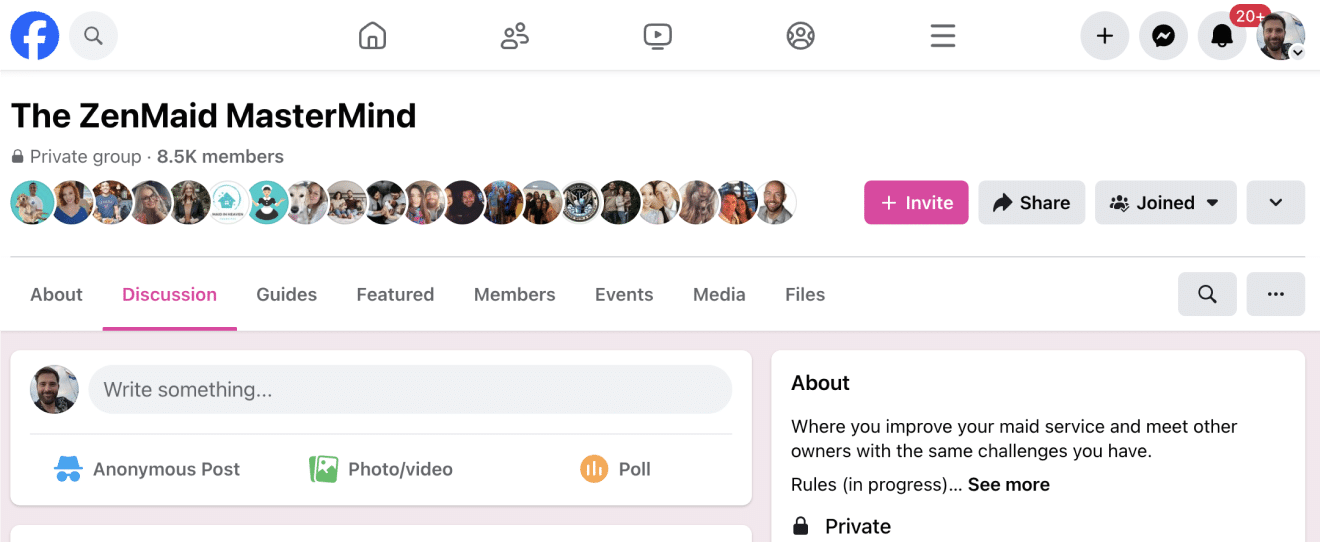
This is one of the most common questions in the ZenMaid community. One cleaning business owner posted in the ZenMaid Mastermind, a Facebook group of 10,000+ cleaning business owners and operations (and no, you don’t have to be a ZenMaid customer to join!), that they loved ZenMaid’s software and interface, but couldn’t get past the lack of two-way texting:

They asked other owners how they deal with it, and dozens replied (including some who have used ZenMaid for nearly 10 years).
Below is what they said, sorted into setups you can copy.
Table of contents
- Why ZenMaid texts are one-way
- Option 1: Put your business number in every automated message
- Option 2: Run all conversations through a dedicated business texting line
- Option 3: Connect ZenMaid to other tools with Zapier
- Option 4: Use the ZenMaid customer portal to cut down on back-and-forth texting
- Which option is right for you?
- Do clients mind replying to a different number?
- Frequently asked questions
- The bottom line
Why ZenMaid texts are one-way
Two-way texting is something that ZenMaid would love to offer, but phone carriers restrict it. Since ZenMaid’s texts are one-way, what matters for your business is how you handle replies around that.
The good news is that most owners said it doesn’t cause real problems once a simple system is in place.
Option 1: Put your business number in every automated message
Best for: Solo owners and small teams who want the simplest fix
This is the most common approach. All of ZenMaid’s automatic communication templates are fully customizable, so many owners add a line that tells clients where to reply.
One owner added this line to their reminders:
“I do not receive replies to this text — please text [NAME] at [PHONE NUMBER].”
Another team puts “DO NOT REPLY” in every outgoing ZenMaid text, followed by the number all their client communication comes from.
Example reminder template:
Hi [First Name]! Reminder from [Company Name] for your clean tomorrow. This number can’t receive replies. Text 555-555-0123
Why it works: You’ve probably seen this in practice yourself from dentist offices, hair salons, medical appointments, and more. If you’ve never been confused by this before when you’ve received it yourself, don’t overthink it! Most people don’t think twice.
The tradeoff: Clients have to switch to a second number if they need to reply directly. A few owners find that clunky, but owners who have used this setup for years said clients adjust quickly. It also incentivizes people to only reach out when something is urgent.
Option 2: Run all conversations through a dedicated business texting line
Best for: Businesses with office staff or those who want every client conversation in one place
Several owners use ZenMaid for scheduling and automated reminders, but combine that with a separate texting platform for conversations. The one mentioned most was GoHighLevel (GHL).
Here’s how one owner, Renee Williams of Maid Your Day Cleaning Services, set it up:
- ZenMaid sends the automated reminders and notifications
- A phone number bought through GHL handles all two-way client texting, so office staff can see every conversation
- Slack keeps field staff informed, with Zapier sending ZenMaid notifications into Slack

Renee also made a point to say that the ZenMaid team is always open and accepting to feedback. We can confirm that this is true, and most of our features and improvements come directly from customers 😉 Thanks, Renee!
Continuing on, another owner said they moved all client communication to their GHL number. ZenMaid’s reminder texts then point clients to it.
Why it works: Your team shares a single inbox, so it’s accessible by everyone and doesn’t rely on one person’s phone or access. This becomes especially important when you have office staff or multiple people answering client calls.
The tradeoff: This is another tool to pay for and set up. If you’re a solo owner texting from your own phone, Option 1 may be all you need right now.
Option 3: Connect ZenMaid to other tools with Zapier
Best for: Owners who already use a CRM or messaging platform and want their tools to work together
ZenMaid connects with Zapier, so you can pass appointment activity to other software. Owners mentioned two main uses:
- Internal alerts — Send ZenMaid notifications to Slack or another instant messaging software so staff know about changes right away
- Texting from another platform — Send appointment events to a tool like GHL and send client texts from there. All replies will go through that inbox instead
A tip if you try the second one: choose one system to send each reminder. If ZenMaid and your other platform both send the same reminder, clients get duplicate texts. That gets annoying, so make sure the use cases are distinct and separate.
Also, before you build anything, check which ZenMaid triggers are available in Zapier, and test with your own contact first.
Option 4: Use the ZenMaid customer portal to cut down on back-and-forth texting
Best for: Everyone! It reduces how often clients need to text you.
The ZenMaid Customer Portal is launching very soon and might already be live by the time this article goes out!
A lot of client texts are routine requests like “Can I move my cleaning?” “What time are you coming?” “Can I cancel next week?”
ZenMaid’s customer portal lets clients:
- View their appointment details
- Request to reschedule or cancel
The portal doesn’t include messaging, so clients still reach your office the way they normally do. However, it handles many routine requests that would otherwise be sent as texts to your direct number.
Which option is right for you?
| Setup | Effort | Extra cost | Best for |
| Business number in every message | Very low | None | Solo owners and small teams |
| Dedicated texting line (e.g., GHL) | Medium | Monthly subscription | Teams with office staff |
| Zapier connections | Medium–high | Zapier plan | Owners who already use a CRM |
| Customer portal | Low | Included | Cutting down routine requests |
Many businesses combine these. A common setup among many owners is to use ZenMaid to send reminders that include the business phone number. From there, the business number lives in a shared inbox, and the customer portal handles reschedule requests.
Do clients mind replying to a different number?
Based on community feedback, rarely! Owners who have used a “do not reply” setup for years said they’ve had no complaints or confusion. Tiffany Welch, owner of Prestige Home Cleaning in Louisiana, says that her cleaning business has used ZenMaid since 2017 and has had no problems with it.:

A few things help, though, to make this as seamless as possible:
- Be clear — Write the exact phone number clients should text
- Keep it friendly — Some people like to make it straight to the point, but we find that saying “This number can’t receive replies. Text us at…” sounds warmer than “DO NOT REPLY” in all caps
- Tell your existing clients — If you decide to switch from personal texts to automated reminders (which we highly recommend), send a quick heads-up to your clients so the change doesn’t surprise them
- Answer fast — A second number doesn’t matter much when replies come back quickly. They won’t mind, really!
Frequently asked questions
Can clients reply to ZenMaid text messages?
No. ZenMaid’s automated texts are one-way. Most businesses add their business number to the message so clients know where to reply.
Can I use GoHighLevel with ZenMaid?
Yes! Many ZenMaid users send two-way client texts from a GHL phone number and use ZenMaid for scheduling and automated reminders. Zapier can pass information between the two.
Does the ZenMaid customer portal include messaging?
No. Clients can view appointments and request reschedules or cancellations, but they contact your office the same way they do now.
Will clients see my private notes in the customer portal?
No. Client notes stay private.
Can I customize ZenMaid’s text messages?
Yes. You can edit the message templates to match your voice and include your business contact info.
The bottom line
ZenMaid doesn’t offer two-way texting today, but the owners who use ZenMaid for their cleaning businesses every day have simple workarounds! For most small teams, adding your business number to your reminder templates is enough. Growing teams usually add a shared texting inbox, and ZenMaid’s customer portal handles many routine requests.
Ready to set it up? Learn how to customize your ZenMaid text reminders →